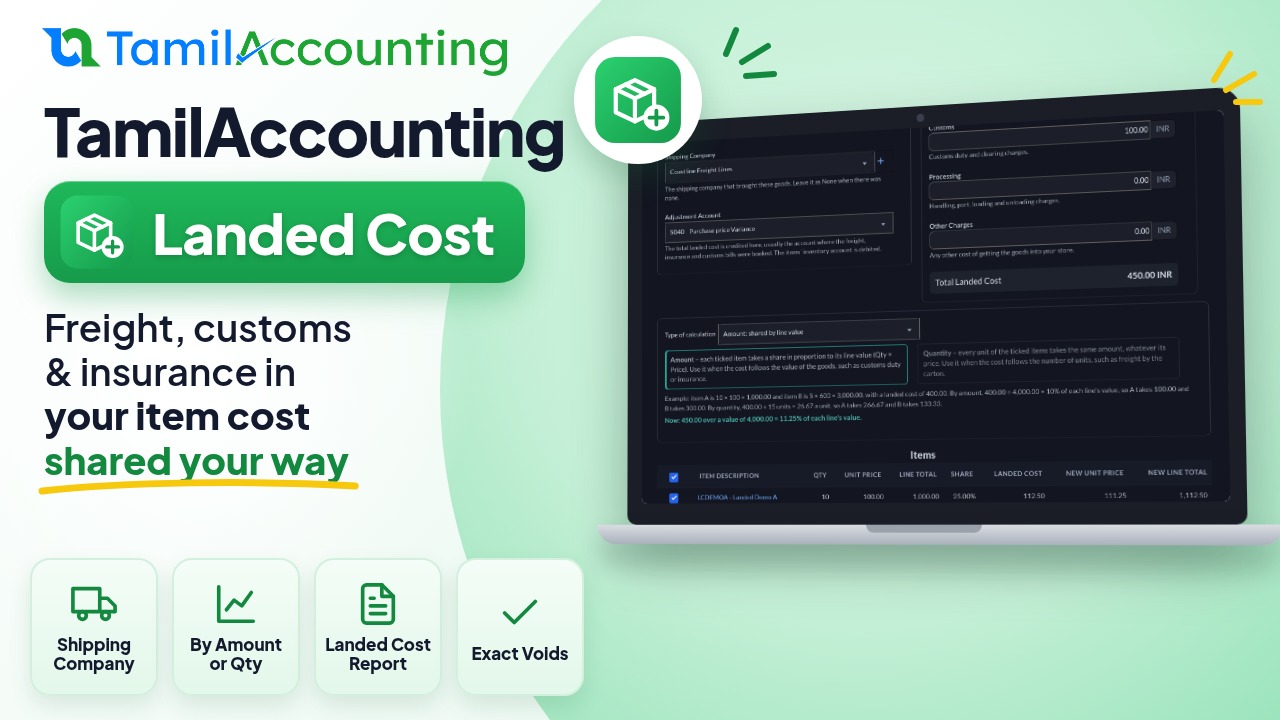
When goods arrive from a supplier, the invoice price is only part of what they cost you. Freight, insurance, customs duty, port handling and clearing charges all add to it. If those costs sit in an expense account, your items look cheaper than they really are, your stock is undervalued, and every sale shows a profit you never made. Landed Cost in TamilAccounting adds those charges to the cost price of the goods they belong to, so stock value, cost of sales and margins are right.
The problem it solves
- A shipment of goods costs 4,000 on the supplier invoice, but freight and customs add another 400. Booked as a plain expense, the 400 never reaches the items, so the next sale shows 10% more margin than is real.
- Different charges follow different logic: customs duty follows the value of the goods, freight by the carton follows the number of units.
- Accountants need to see which shipping company each shipment came through, and pull the figures for a period.
- Goods are often partly sold by the time the clearing bills come in, so the cost cannot simply be added to stock that is no longer there.
How it works
A landed cost is entered against one supplier invoice. You type the charges, choose how to share them over the invoice's items, and submit. TamilAccounting raises each item's cost price by its share, debits Inventory with the part that is still in stock, debits Cost of Sales with the part that belongs to goods already sold, and credits the account where the freight and customs bills were booked (the Adjustment Account).
Two ways to share the cost
- Amount (shared by line value): each item takes a share in proportion to its line value (quantity × price). Best for costs that follow value, such as customs duty and insurance.
- Quantity (the same per unit): every unit takes the same amount, whatever its price. Best for costs that follow volume, such as freight by the carton.
How to turn it on
Landed Cost is an app. Turn on Landed Cost from the Apps page. A Landed Cost button then appears on every supplier invoice, and a Landed Cost tab appears in Purchases. Keep your shipping companies in the shipping companies list if you want to record which one brought each shipment.
Step by step
- Go to Purchases > Invoices and open the supplier invoice.
- Click Landed Cost. The screen shows the supplier invoice, the supplier and the reference. Every field has a short note under it.
- Check the Date, pick the Shipping Company (or leave it as None) and the Adjustment Account.
- Type the charges under Costs to add: Shipping, Insurance, Customs, Processing and Other Charges. The Total Landed Cost and every item's share update as you type.
- Choose the Type of calculation: Amount or Quantity. The screen explains both and shows the split for your own figures.
- Untick any item that should not take a share. Services never take one.
- Add a Memo and click Submit, or Draft to finish later.
Worked example: sharing the cost
A supplier invoice has item A, 10 units at 100 (1,000), and item B, 5 units at 600 (3,000). Freight is 300 and customs 100, so the landed cost is 400.
| Item | Line value | By Amount: share | By Amount: new unit price | By Quantity: share | By Quantity: new unit price |
|---|---|---|---|---|---|
| A (10 units) | 1,000.00 | 100.00 (25%) | 110.00 | 266.67 | 126.67 |
| B (5 units) | 3,000.00 | 300.00 (75%) | 660.00 | 133.33 | 626.67 |
| Total | 4,000.00 | 400.00 | 400.00 |
By amount, 400 ÷ 4,000 = 10% of each line's value. By quantity, 400 ÷ 15 units = 26.67 a unit. The cheap item A carries much more by quantity, which is right for freight charged per carton and wrong for duty charged on value.
Worked example: what is posted
By amount, with all the goods still in stock:
| Account | Debit | Credit |
|---|---|---|
| Inventory | 400.00 | |
| Adjustment account (where the freight and customs bills sit) | 400.00 |
If 2 of the 5 units of B had already been sold, only 3 can carry their share. 3/5 of B's 300 (180) goes to stock and 2/5 (120) goes straight to Cost of Sales:
| Account | Debit | Credit |
|---|---|---|
| Inventory (A 100 + B 180) | 280.00 | |
| Cost of Sales (B's units already sold) | 120.00 | |
| Adjustment account | 400.00 |
Shipping company, list and report
Each landed cost records the shipping company that brought the goods. The Purchases > Landed Cost tab lists every landed cost with its supplier invoice, supplier, shipping company, method, each charge and the total, and filters by date, shipping company and supplier together. The Landed Cost Report under Reports > Purchases prints each landed cost with its charges and every item's share, old and new price, filtered by date, supplier, shipping company and item category, as PDF or Excel.
Editing a landed cost
Open it from the list or its view and click Edit. Everything comes back as you saved it: the date, account, charges, type of calculation, shipping company, memo and the ticked items. Saving reverses the landed cost and posts it again with the new figures under the same reference.
Voiding or editing after some goods were sold
A landed cost can only take back what it still holds in stock. Say you received 100 units at 10 each and added a landed cost of 200, so the cost price became 12. Then 90 units were sold at 12, which carried 180 of the landed cost into Cost of Sales. Voiding the landed cost now posts:
| Account | Debit | Credit |
|---|---|---|
| Adjustment account | 200.00 | |
| Inventory (the 10 units still held, 2 each) | 20.00 | |
| Cost of Sales (the 90 units already sold) | 180.00 |
The cost price goes back to exactly 10. If nothing is left in stock, the cost price stays as it is and the whole amount comes back from Cost of Sales. An edit does the same first, then posts the new figures on the stock as it is now.
Frequently asked questions
Can one landed cost cover only some of the items?
Yes. Untick the items that should not take a share; the cost is shared over the ticked ones.
Which method should I choose?
Use Amount for charges that depend on value (customs duty, insurance) and Quantity for charges that depend on the number of units (freight by the carton, handling per piece). If a shipment has both, enter two landed costs.
What currency are the charges in?
Your home currency. Items bought in a foreign currency are shown at their home-currency price.
What if I void the supplier invoice?
Its landed cost is voided with it, and the item costs come back down by what is still in stock.
Can I save it and finish later?
Yes. Draft saves it without posting anything or changing any cost. Open it again from the list and Submit when ready.