Every core feature, in one tour
Sales, purchases, stock, banking, GL, HR and reports — the full tour of the core.
Sales, purchases, stock, manufacturing, banking, tax, HR and CRM share one database in TamilAccounting. Each document writes its own accounting entry as it is saved, so the statements are ready when you need them — and apps add industry features when you need more.
The newest features, all working on the same customers, items and ledger as everything else.
Customers, suppliers and employees sign in to one portal: invoices and online payment, purchase orders and bills, leave, payslips and claims.
Learn moreA follow-up case for every overdue customer, with promises to pay and escalation — and a payables panel so no supplier is paid late.
Learn moreIRN and signed QR from the invoice, one at a time or in bulk, and the e-way bill from the same screen — no portal to open.
Learn moreStandard invoices cleared and simplified invoices reported, each signed with its QR code and chained by hash — onboarding included.
Learn moreSend material to a job worker on a challan, keep it as your stock at their location, and get it back costed with rejects recorded.
Learn moreInspection lots on receipts, production and returns, stock held until a decision, non-conformance reports and certificates.
Learn moreBuy in boxes, sell in bags and count in kilograms — orders, invoices, price lists and the POS convert for you.
Learn moreImport the bank’s statement; lines already in your books are matched, not posted twice, and reconciled on the statement date.
Learn moreVoid a document as restorable and bring it back later — invoices, credit notes and deliveries return fully posted.
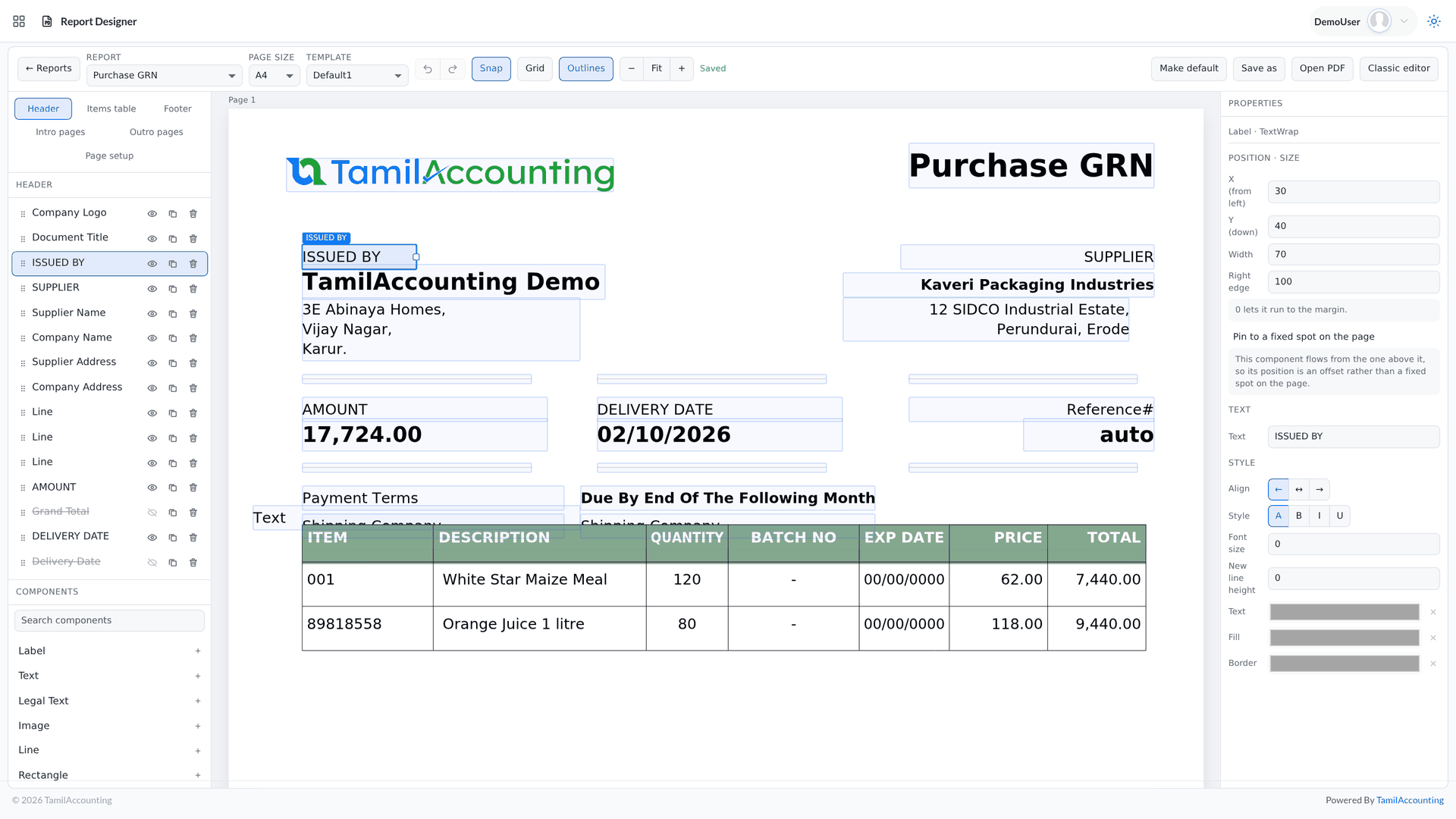
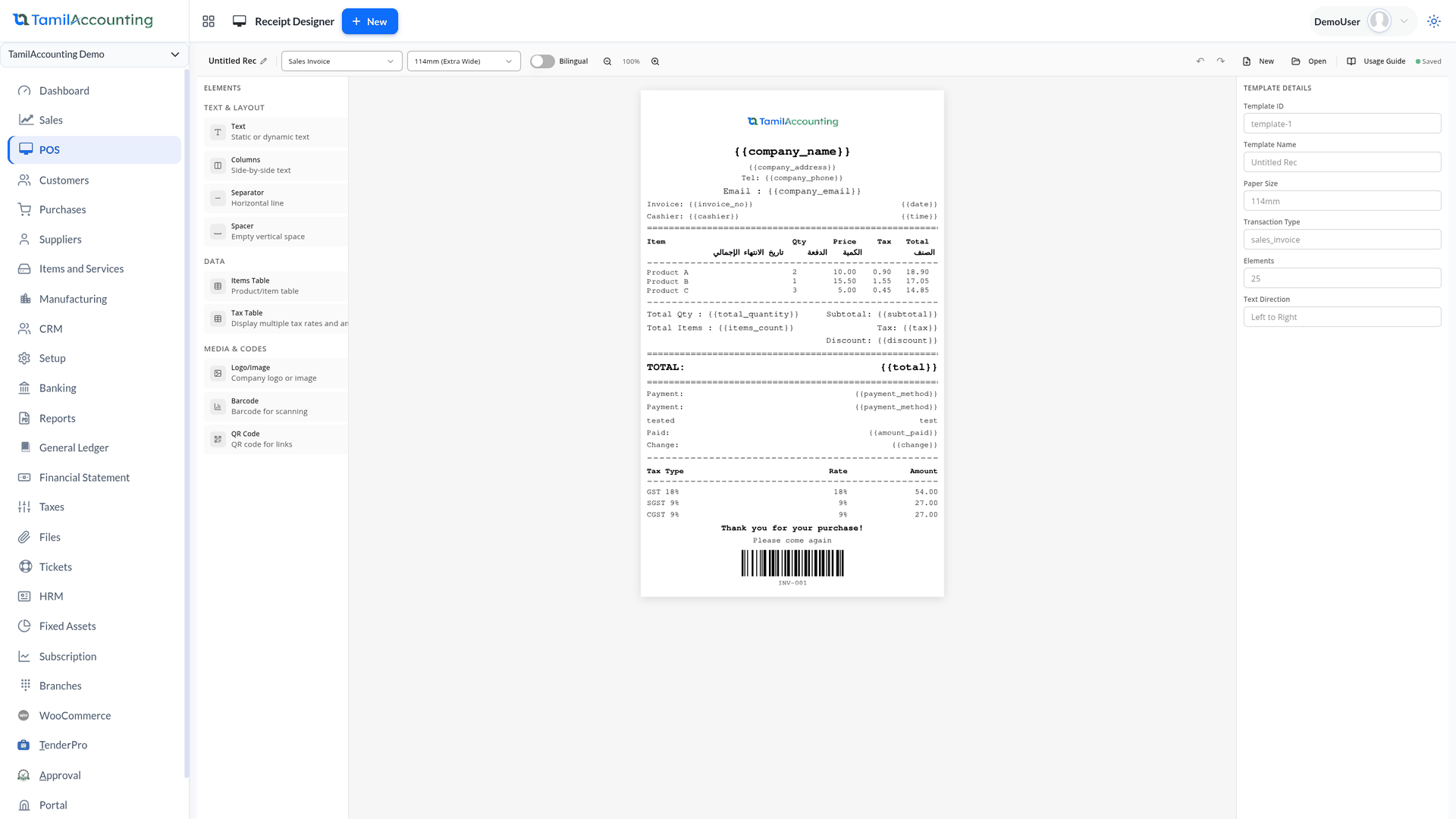
Learn moreDrag, resize and snap fields on the real PDF, add your logo, bank details, a QR code or a signature — plus a designer for POS receipts.
Watch the walkthroughAsk about balances, stock and documents in plain language; it prepares invoices, orders and journals for you to review and post.
Learn moreBring customers, suppliers, items, accounts and journals across from Tally, Zoho, QuickBooks, Xero, Sage 50 or SMACC exports.
Manage your complete business cycle — from procurement to production to sales and collection.
The full sales cycle with GST/VAT, from quotation to payment — and follow-up for every overdue customer.
Requisition to payment, with each supplier bill matched to what was ordered and received.
Real-time stock by location, in the unit each item is really counted in.
Plan, make and cost production, from the bill of materials to finished goods.
Send material out to a job worker and get it back costed, without it ever leaving your books.
Counter billing in the browser or the Android POS app, which keeps billing when the internet drops.
Catalogue goods, services and kits, with prices for every kind of customer.
Buy, stock and sell the same item in different units — the books convert for you.
Connect your online store and bring its orders into the books.
Complete double-entry accounting, with tax and e-invoicing built into the documents themselves.
The double-entry backbone of your books.
The statements a bank or a board asks for, straight from the books.
Every bank and cash account, imported, matched and reconciled.
Tax groups for any GST or VAT, with country features where they are needed.
One source of truth for every account.
Send any document as a secure link the other side can open without logging in.
Track assets from purchase to disposal.
Trade and report in every currency you deal in.
Capture and post every business expense.
Run your workforce, win and serve customers, and let everyone help themselves — from the same platform.
From hiring to full and final settlement, every pay cycle.
Track relationships and deliver projects on time.
Turn prospects into customers with a clear pipeline.
Customers, suppliers and employees each sign in to see and act on their own documents.
Answer employee, customer and supplier tickets from one helpdesk.
Track time and time off without the spreadsheets.
Branches and group reporting, migration, document design, an AI assistant and the controls that keep the books safe.
Run several branches or companies and still see one business.
A ready report for each question, in every module.
Move data in and out without rekeying.
Design invoices and receipts on the real document.
Ask in plain language; it answers from your live data and prepares the next step.
Shape the system around your business.
Give every user exactly the access they need.
A mistake no longer means retyping.
Attach and organise documents anywhere.
Apps are switched on from inside the system and work on the same customers, items and ledger — many can be installed with sample data to try first.
Modules and apps share one database — switch on what you need, when you need it.
The same Report Designer opens each transaction as its real PDF — quotations, orders, deliveries, invoices, receipts, purchase orders, GRNs, work orders, payments and journals.
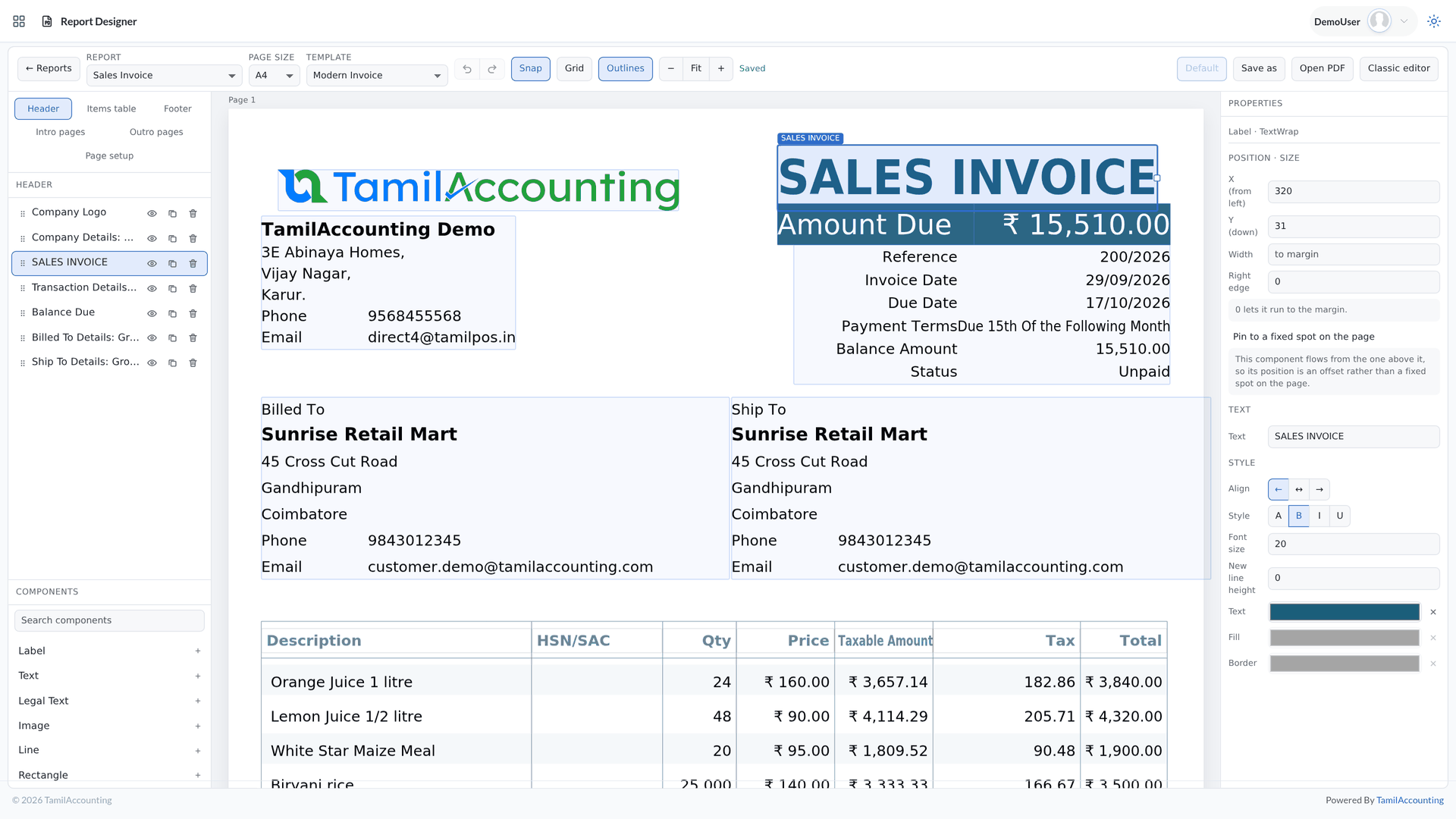
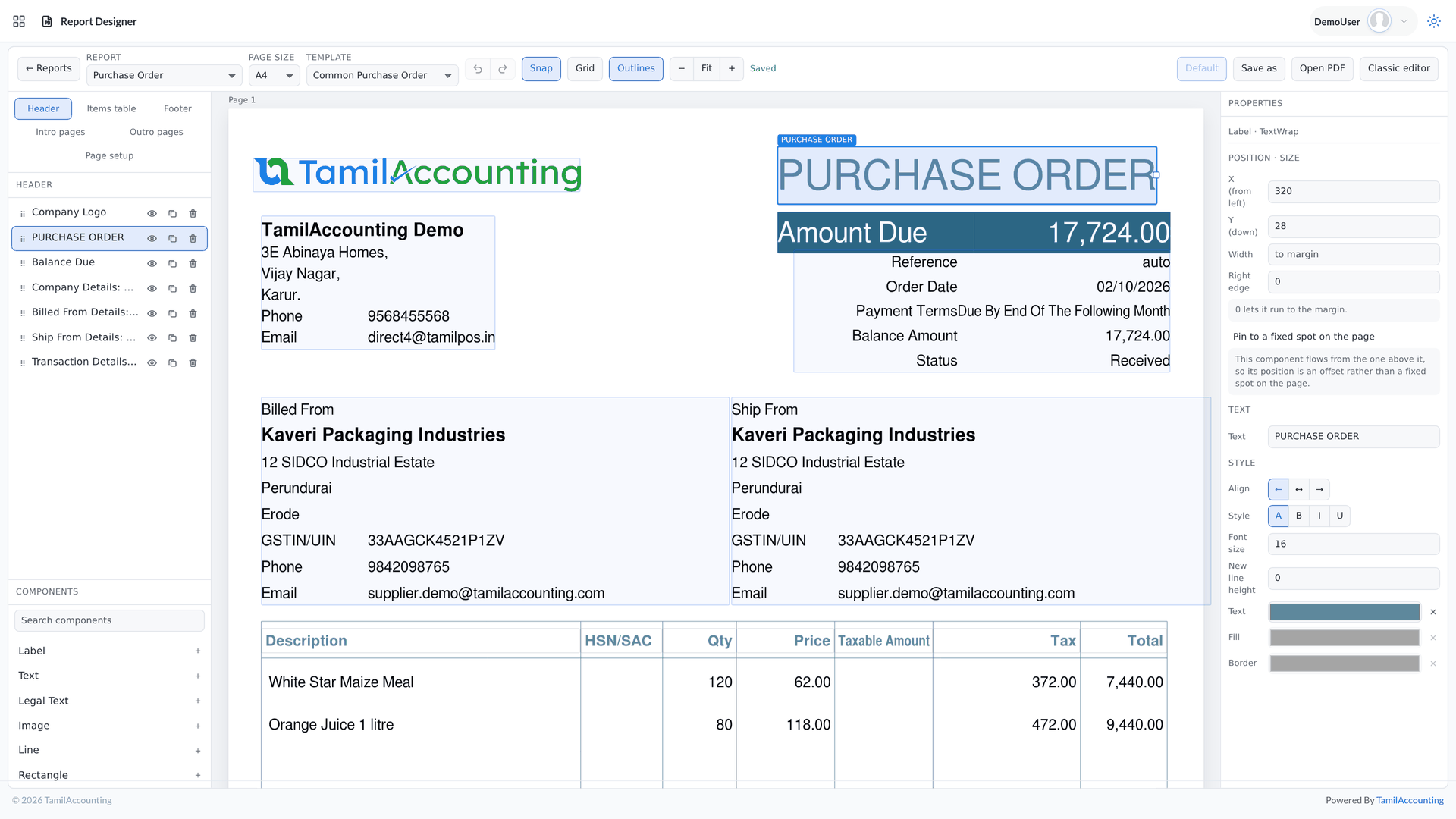
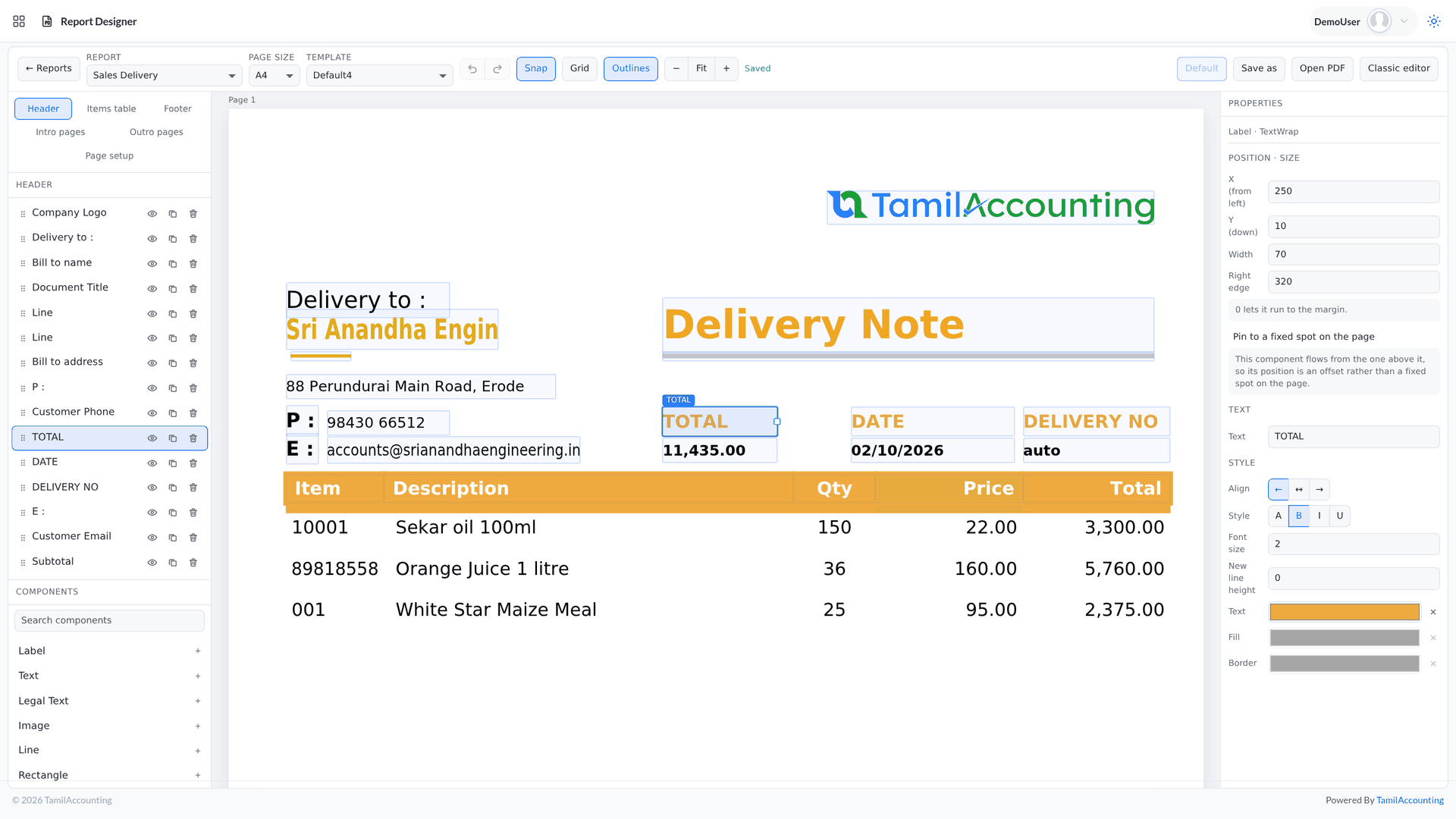
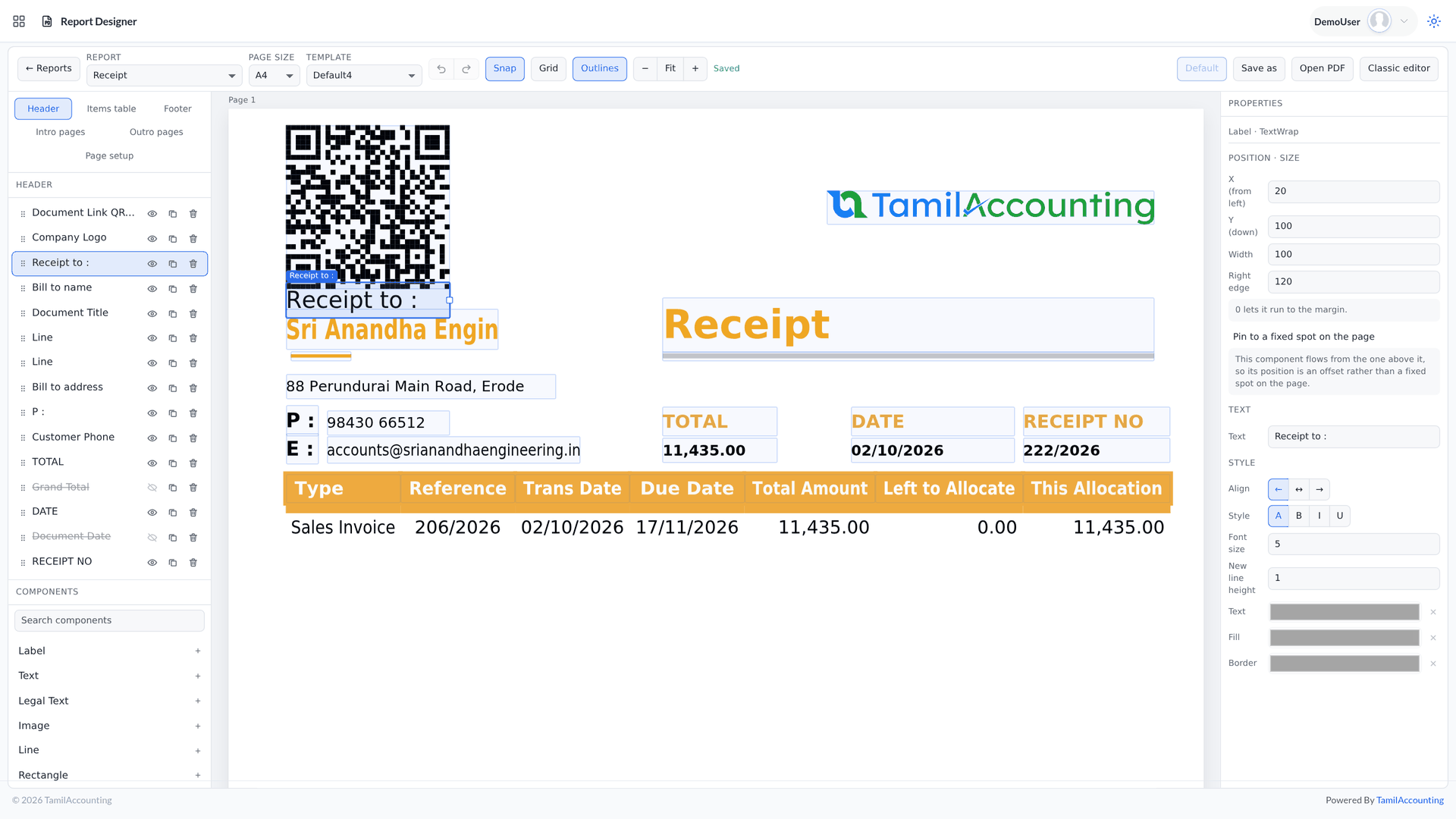
Seven minutes through sales, purchases, stock, banking, the ledger, HR and reports — or the three-minute overview if you only want the big picture. Recorded on a demo company, no slides.
Sales, purchases, stock, banking, GL, HR and reports — the full tour of the core.
Three minutes on what the software does, from the first sale to the balance sheet.
Move the logo, restyle the title and add a note right on the real PDF — the new invoice designer.
Switching software is the hard part. We help you move, keep your records sound, and keep improving the system with you.
Move across from Tally, Zoho, QuickBooks, Xero, Sage 50 or SMACC, or from Excel templates for items, customers, suppliers, employees, chart of accounts and opening balances. You preview every row before it is saved — and our team helps you through it.
Your database is backed up three times a day — every 8 hours — and your files are backed up too. Each company keeps its own separate database; roles decide who can see, enter, approve or void; every change is on the audit trail; and everything exports to Excel or PDF whenever you want it.
We follow up regularly with the businesses that use it, and their requests become features. Updates arrive on your account automatically — nothing to download or reinstall.
GST e-invoice and e-way bill, ZATCA, WooCommerce, WhatsApp, biometric devices, online payment gateways, mobile apps and an AI assistant — and new connections are added as the market moves.
No. In India the IRN and signed QR code are generated from the invoice itself, one at a time or in bulk, and the e-way bill is raised from the same screen. In Saudi Arabia standard invoices are cleared and simplified invoices reported to ZATCA, each signed with its QR code and chained to the one before.
Yes. The migration wizard reads each of these systems’ Excel or CSV exports and brings across customers, suppliers, items, the chart of accounts and journals. There are also Excel templates for masters and opening balances.
Yes, through One Portal. Customers see their invoices and statement and pay online; suppliers answer quote requests, accept purchase orders and send their bills; employees punch in, apply for leave, download payslips and file claims. Each sees only their own documents.
When a document is voided as restorable, it goes to a register of deleted and voided transactions. Invoices, credit notes and deliveries come back fully posted, including stock; journals and bank entries reopen pre-filled for you to post again.
Yes. Every posting can carry its branch, each branch can have its own stock location, and the trial balance, profit and loss and balance sheet can be run by branch. For separate companies, the Consolidated Reports app combines their statements.
Yes. The PDF designer lets you drag, resize and snap fields on the real document and add your logo, bank details, a QR code or a signature. You work on a copy that only prints once you make it the default, and POS receipts have a designer of their own.
Your account administrator switches apps on from inside the system. Each app works on the same customers, items and ledger, and many can be installed with sample data so you can try them before going live.
Yes. The AI Concierge answers questions about balances, stock and documents from your live data, and prepares invoices, orders and journals as pre-filled forms for you to review and post. It works only inside your own company, and its usage draws on your company’s AI credit.
Start free with your own customers, items and opening balances — and switch on manufacturing, payroll, portals and apps when you are ready.
Supports GST (India), VAT (UAE, South Africa, Egypt, Iraq, Botswana), and local compliance across all regions.