Customer portal
Customers see their invoices, deliveries and statement — and pay online.
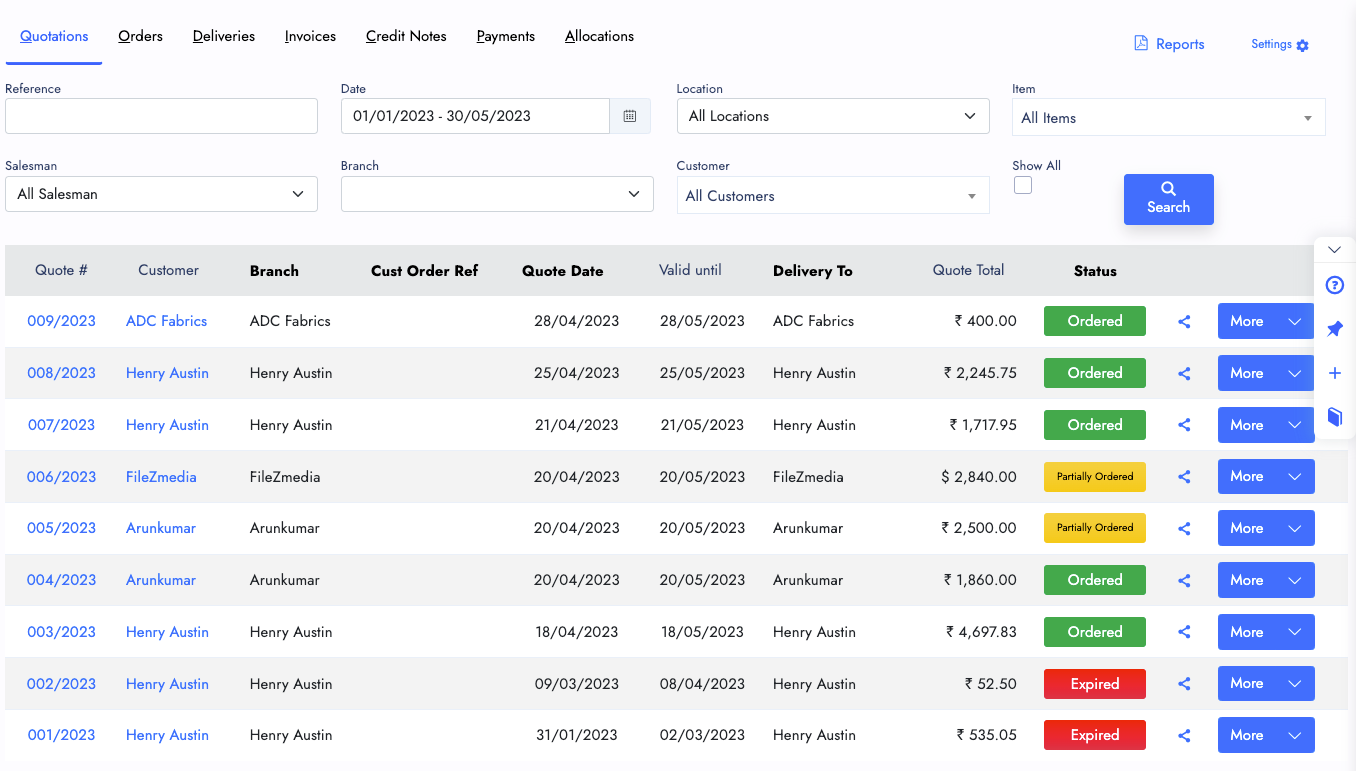
Create, edit and share quotations. Each quote carries the customer and contact, the sales type (price list), the payment terms, the date it is valid until and the full list of goods and services with their prices.
Once it is saved, send it from the share window: copy the link, email it with the PDF attached, or send it on WhatsApp with a ready-made message you can edit.
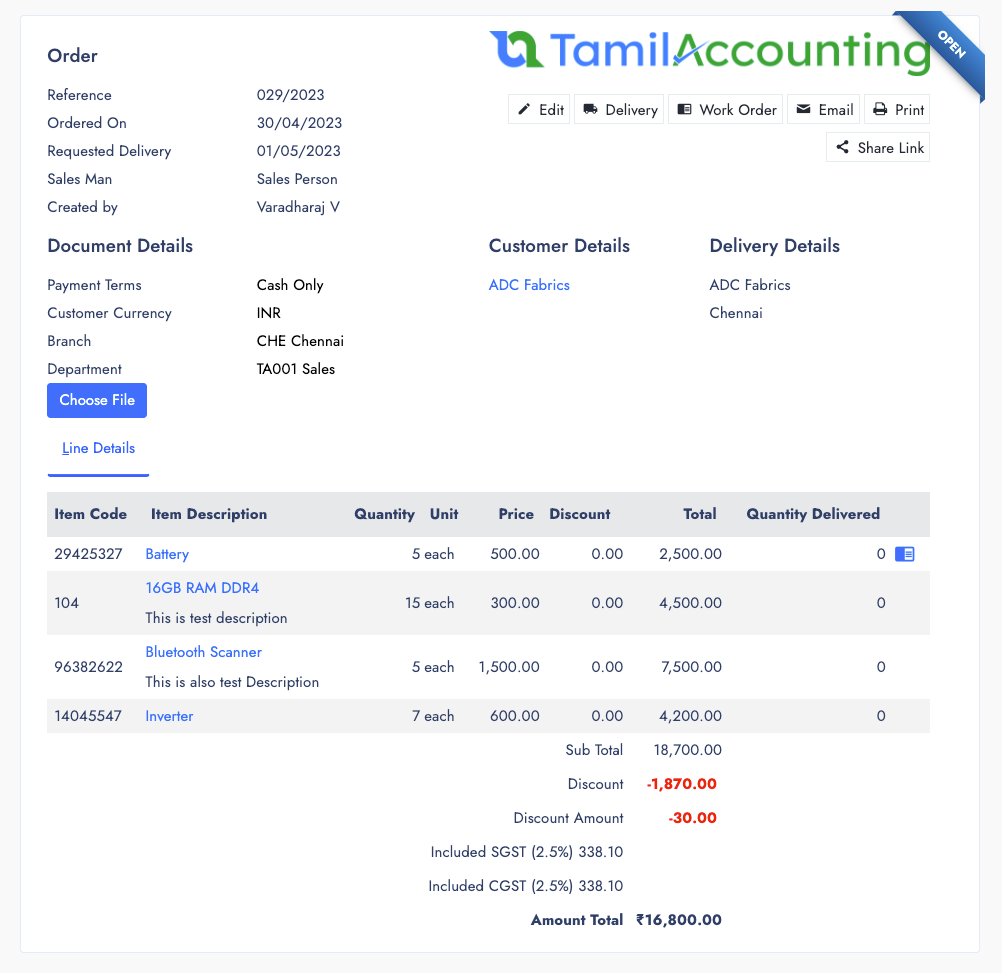
Turn a quotation or a proposal into a sales order, or enter one directly. Payment terms can ask for a prepayment, and invoices are then raised against the money already received.
Each order carries a required delivery date and the delivery address. From the order you can:
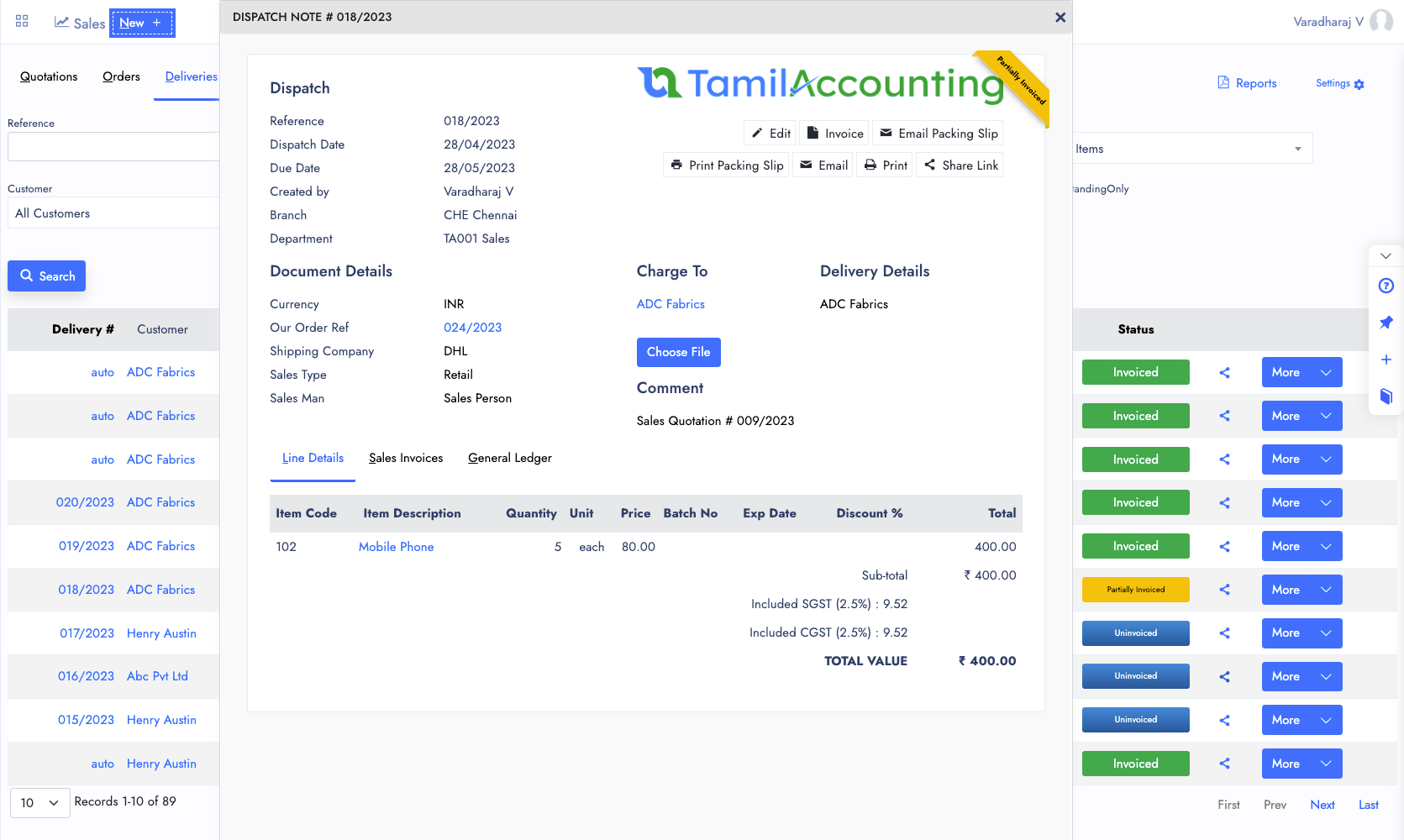
Deliver against a sales order or make a direct delivery. When batch and expiry tracking is on, you pick the batch before the goods leave. The delivery posts the inventory entry as it is saved, so a delivery is voided rather than deleted — and once it is invoiced, it can no longer be voided.
Invoice the delivered quantity in one go or in parts: one delivery can be split across several invoices, and its status shows when it is partially invoiced.
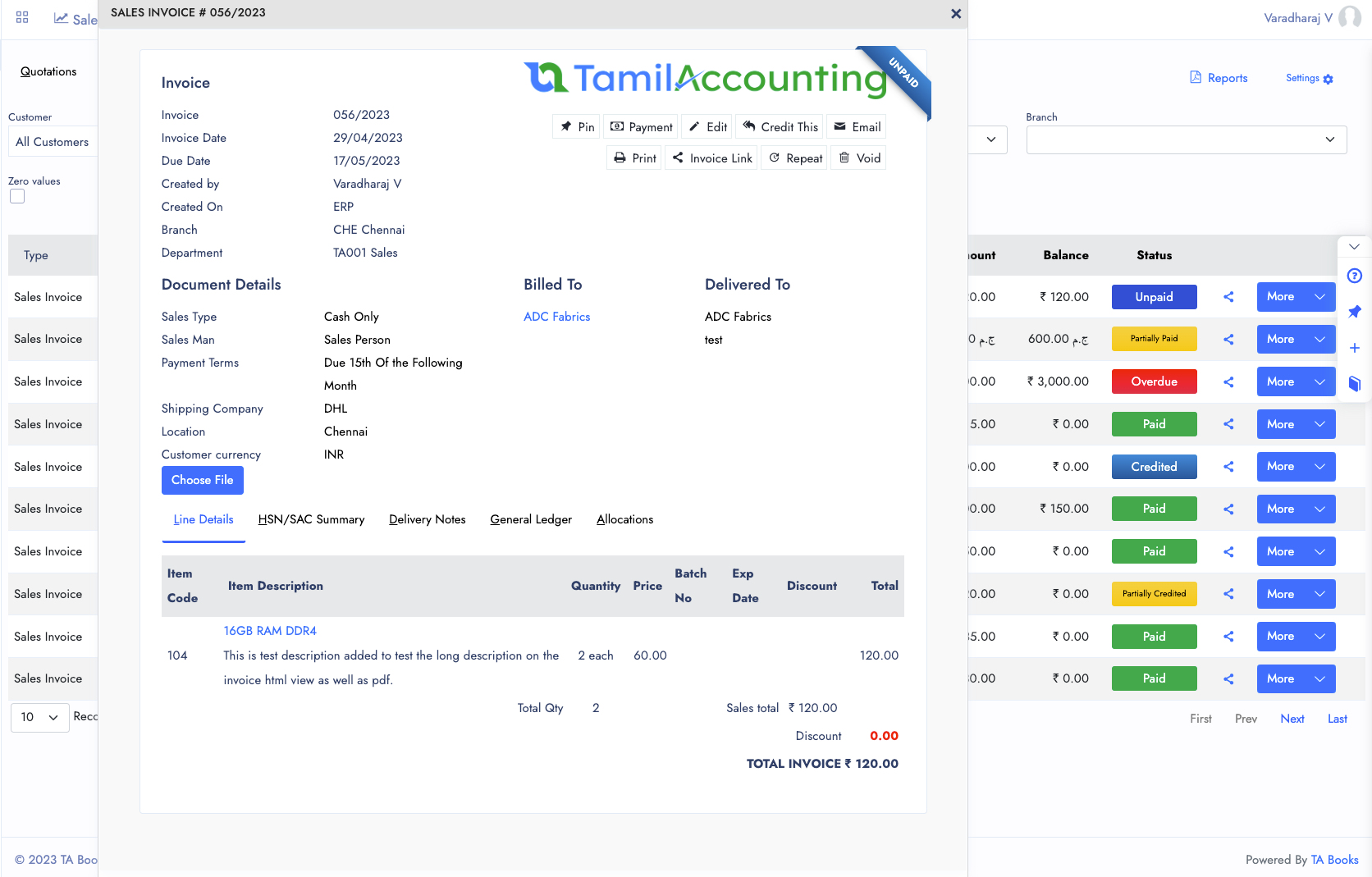
Raise an invoice from a delivery, from a quotation or directly. Invoice numbers follow a numbering pattern you set up separately for each document type, so the format can match your business or your country’s rules.
An invoice can be paid on the spot or left on credit — unpaid and overdue invoices are tracked for you. From the invoice you can record the payment, credit it, print it or share it, and edit it while it is still open (not once it has been credited or locked by an e-invoice).
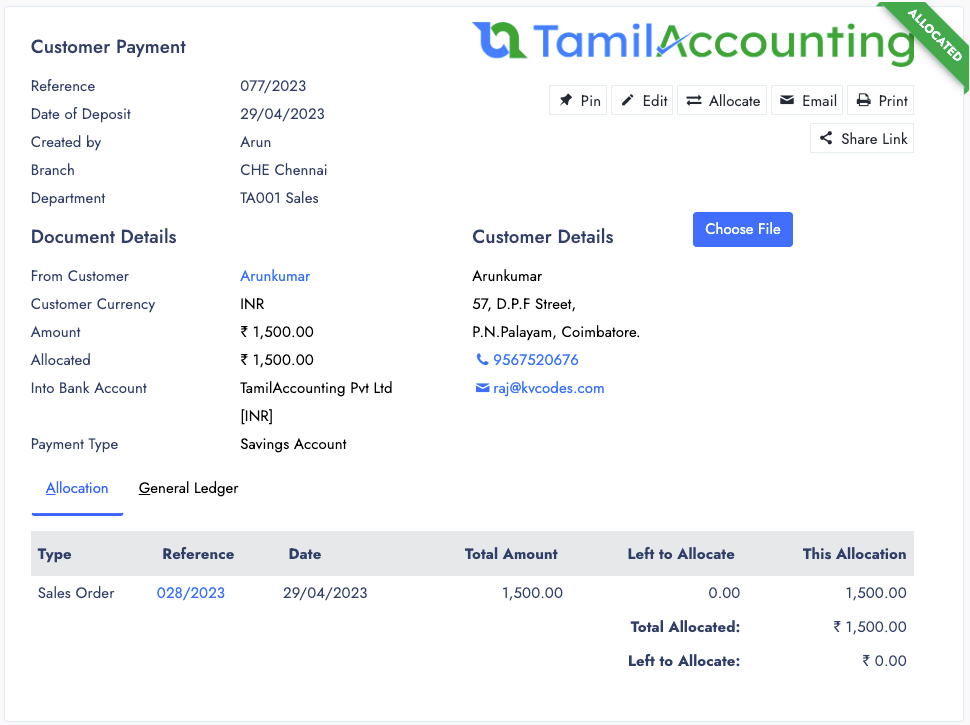
Record one payment against several invoices, or several payments against one invoice. Share the receipt with the customer as a link or a PDF. Every payment shows how much of it has been used:
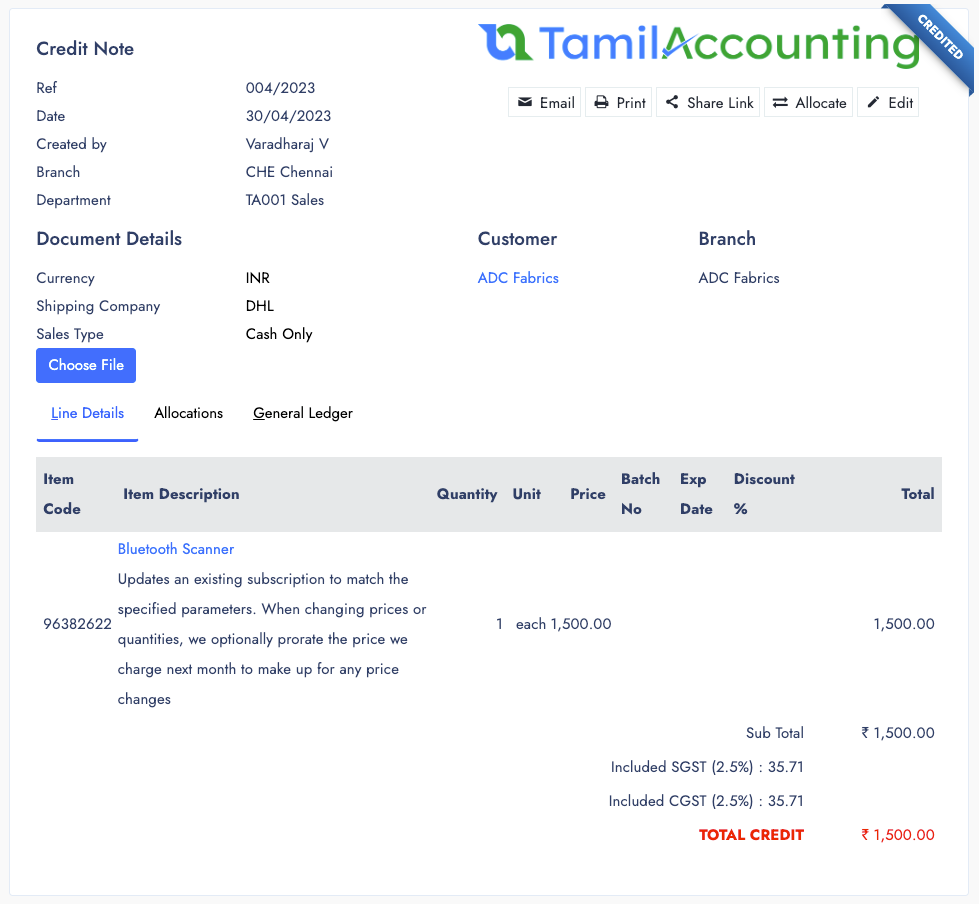
Credit an invoice from the invoice itself, or raise a direct credit note for the customer. When goods come back, choose the location they return to and, if needed, refund the money from a bank account; otherwise the value is written off to an account you choose.
A credit note raised from an invoice is allocated to that invoice. A direct credit note can be allocated to any open invoice later. Like every other document, it can be shared by link, email or WhatsApp, with a PDF.
The sales reports print to PDF or export to Excel, ready to send to a customer or your accountant.
The customer portal, where customers see their invoices, deliveries and statement and pay online, and the payment reminders that follow up every overdue customer for you.
Customers see their invoices, deliveries and statement — and pay online.
Follow-ups, promises to pay and escalation for every overdue customer.
Everything that happens after you press Share — and what the other side can do with it.
Each link is encrypted, so it cannot be guessed from an invoice number. Anyone who has the link can open it, so send it only to the person it is meant for.
Send from the share button on the document or its list. Email goes out with the PDF attached; WhatsApp opens with the message and link filled in.
Every shared page has a Download PDF button, so the customer or supplier keeps a proper copy for their own books.
With online payment switched on, a shared invoice can be paid in full or in part from the link. Rupee invoices can also show a scan-to-pay QR code.
If a sales document is edited after you shared it, the old link opens the newest version — nobody pays from an out-of-date copy.
Send a request for quotation as a link. The supplier fills in prices or declines from the link, without needing a login.
Customers who log in see their quotes, orders, deliveries, invoices and statement, download invoice and statement PDFs, and pay online.
Every overdue customer gets a follow-up case: log each call or message and the promise to pay, repeat reminders, and escalate the ones that slip.
Send a quotation as a private link the moment it is saved — the customer reads it on any phone and keeps the PDF.
Confirm orders and send invoices by link, email or WhatsApp — and let customers pay the invoice from the same link.
Send purchase orders to suppliers by link, by email with the PDF attached, or on WhatsApp — no separate document to type.
Join businesses across India, UAE & GCC using TamilAccounting
Supports GST (India), VAT (UAE, South Africa, Egypt, Iraq, Botswana), and local compliance across all regions.