Bank statement import that matches your books
Each statement line matched to its entry, reconciled on the statement date.
Bank and cash accounts in any currency, payments, deposits and transfers, and a bank statement that reads itself: TamilAccounting finds the entries already in your books, reconciles them on the statement date and posts only what is genuinely new.
Added through 2026: the monthly bank statement goes from a day of ticking to a few minutes of checking, and foreign-currency accounts read correctly in both currencies.
Each statement line is compared with the unreconciled entries on that account — same amount, same direction, within a week, confirmed by a cheque number, reference or payee — so a receipt you entered last week is never posted twice.
Watch the walkthroughEverything a statement settles is reconciled on its last transaction date, or a date you enter — never on the day you happened to do the work.
Watch the walkthroughThe “Any bank” template finds the date, narration, withdrawal, deposit and balance columns by their headings. A statement whose balances do not add up is refused, and importing it twice changes nothing.
Watch the walkthroughTick two cheques to match one clearing deposit, split a loan EMI between the loan and the interest, and take back a wrong match without voiding anything.
Watch the walkthroughEvery bank and cash movement by account, type and period, with money in and out per account. A foreign-currency account shows each line in its own currency and in your home currency.
A foreign-currency account now prints debit, credit and running balance in its own currency and in home currency, each tied to the ledger.
Receive from a dollar customer into a dirham account: the payment screen asks for the party’s rate and the bank’s rate, fills the bank amount and queries one that looks wrong.
Cash on hand across every account, money in and out for the month, what is still unreconciled and how old it is, with a cash-flow chart and a line per account.
Watch the walkthroughA payment taken online shows what the customer paid, what the gateway kept and what reached the bank, and Record Payment turns it into a receipt against its invoice.
Watch the walkthroughMost businesses enter their receipts and payments as they happen, then spend a day each month proving the bank agrees. These are the gaps that make that day longer.
A plain statement import treats every line as new. The customer receipt you already entered goes in again, and the bank balance in the books is now wrong.
Cost: a balance nobody trusts, and an afternoon finding the duplicates.
A cheque written on the 17th clears on the 20th; a transfer entered on the 15th is credited on the 16th. Matching on the exact date misses all of them.
Cost: lines ticked by hand, one at a time, every month.
September’s statement, reconciled in October, ends up dated October. The reconciliation history no longer matches the statements the bank sent.
Cost: an auditor asking why the dates disagree.
A clearing deposit of two cheques, or an EMI that is part loan and part interest, never matches one entry — so it sits in a suspense account.
Cost: suspense balances that grow until year end.
A dollar account shown only in rupees (or only in dollars) cannot be ticked against the bank and the ledger at the same time, and exchange gains go unbooked.
Cost: a balance sheet that is right only on the day the rate was entered.
The customer paid the full invoice, the gateway kept its fee, and the bank received less. Without the three figures side by side, the gap is a mystery.
Cost: invoices left part-open and fees never expensed.
Most bank entries arrive by themselves from sales receipts, supplier payments and payroll. Banking is where they meet the statement.
Each bank or cash account is linked to its own ledger account, so Banking and the balance sheet can never drift apart. The overview answers the first question every owner asks: how much cash do we have?
A payment can go to a supplier, a customer, an employee, a quick entry or a ledger account, and several people can be paid in one entry. The account’s live balance shows while you type.
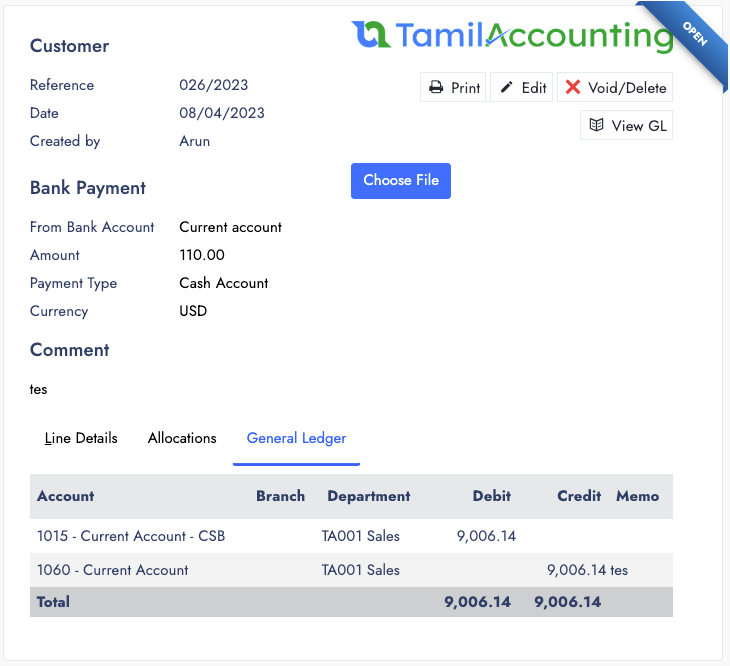
Download the statement from net banking as Excel or CSV and upload it unchanged. Every line is first compared with the unreconciled entries on that account; only what is genuinely new is posted.
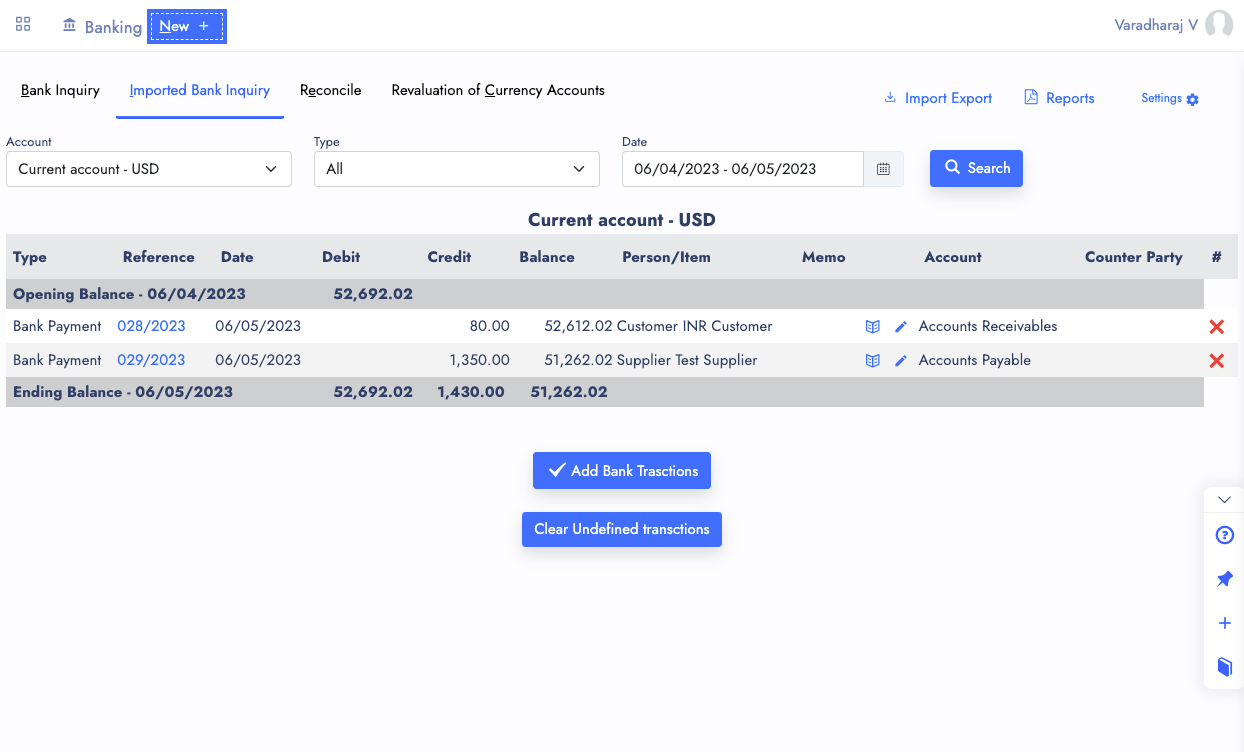
After the import, a summary shows what was matched, posted and left. Each line left has the action it needs right beside it.
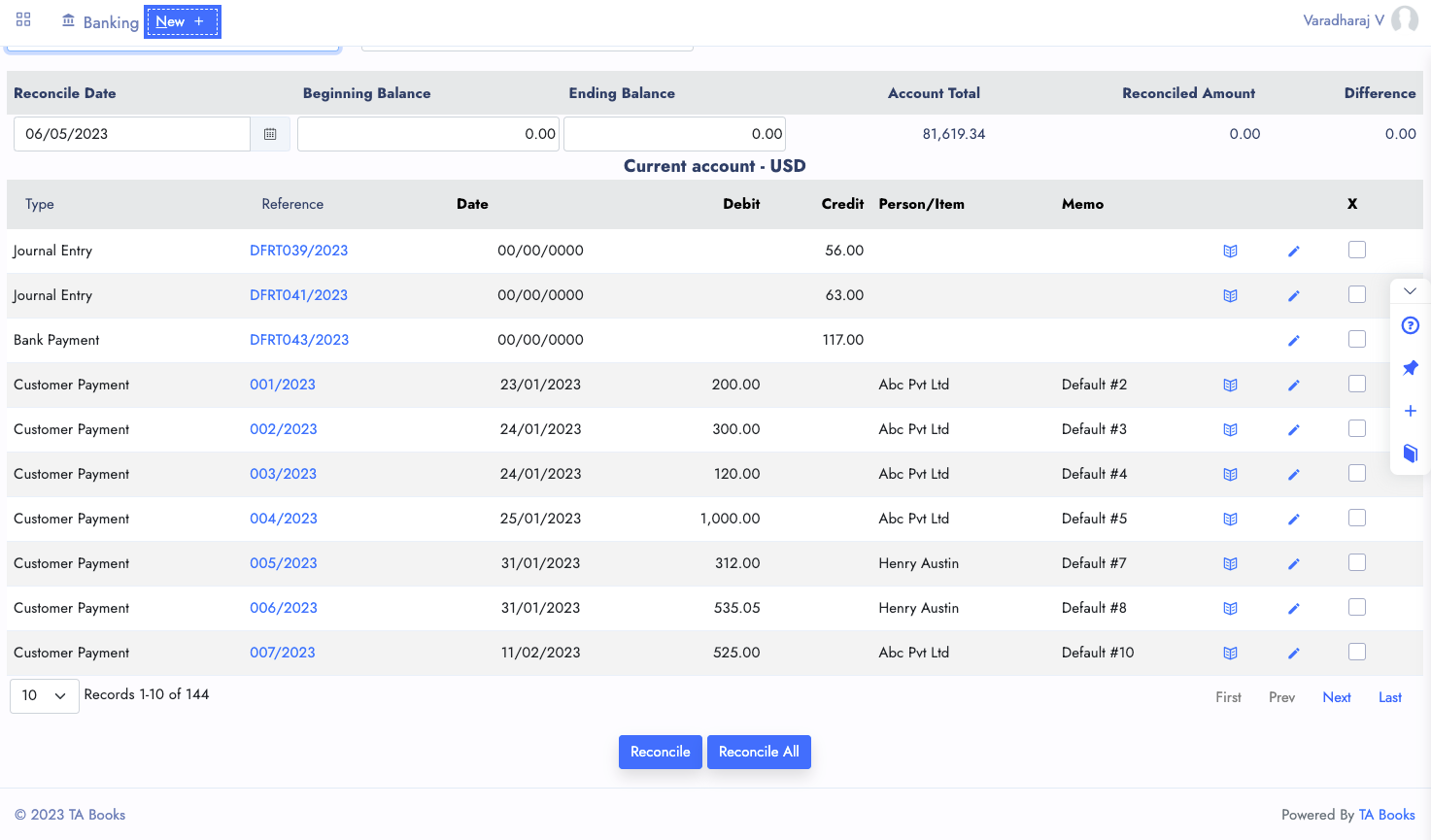
Reconcile lists every unreconciled line up to the statement date. Enter the statement’s closing balance and tick each line as you find it; when the difference reaches zero, the books and the bank agree.
Every account has its own currency. Exchange rates keep their history, and Revaluation of Currency Accounts posts the gain or loss for any date — on bank accounts and on customer and supplier balances held in another currency.
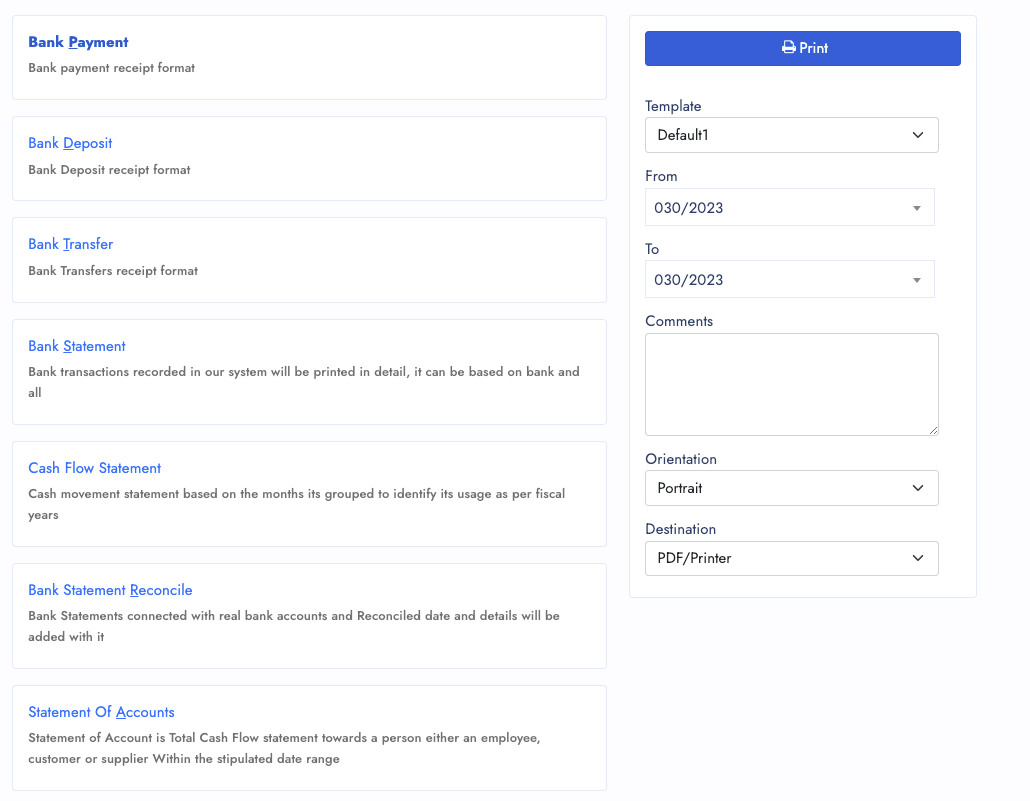
Invented figures on a demo company. Nobody types these entries by hand: the Edit screen and the revaluation post them.
Statement line “EMI DR · Business loan”, 24,850.00 out
| Account | Debit | Credit |
|---|---|---|
| Bank loans | 21,300.00 | |
| Interest & bank charges | 3,550.00 | |
| Current account — Bank A | 24,850.00 | |
| Totals | 24,850.00 | 24,850.00 |
A line left without an amount takes what is left, and the lines must add up to the bank amount before the payment posts — reconciled on the statement date.
USD 6,000 received at ₹88.20 (₹5,29,200); month-end rate ₹88.95 (₹5,33,700)
| Account | Debit | Credit |
|---|---|---|
| USD account — Bank B | 4,500.00 | |
| Exchange variation | 4,500.00 | |
| Totals | 4,500.00 | 4,500.00 |
The dollar balance does not change — only what it is worth in rupees. Customer and supplier balances in other currencies are revalued in the same run.
Recorded on a demo company: a real-format bank statement imported and matched to the books, then accounts, transfers, reconciliation, revaluation and gateway payments.
Each statement line matched to its entry, reconciled on the statement date.
Statement import, reconciliation, foreign-currency revaluation and gateway payments.
Each account as its own ledger: totals across the top and a running balance after every entry, with every line opening its document.
A keyword in the narration, money in or out, who it is paid to and the account to post to — set once, applied to every statement.
Payments made from an invoice share link or the customer portal arrive with gross, fee and net, ready to record against the invoice.
Give a rupee bank account its UPI ID and every printed invoice carries a QR code for the amount, so customers pay the moment it arrives.
Payments and deposits settle the exact invoices they were for, so customer and supplier balances stay clean.
Save a half-finished payment or deposit and come back to it; nothing posts until you process it.
A bank payment or deposit deleted as Restorable reopens in a ready-filled screen, so you choose the date before it posts again.
Keep the receipt, challan or advice with the payment it belongs to, one click away from the entry.
| Plain import or ticking by hand | TamilAccounting | |
|---|---|---|
| Entries already in the books | Posted again as new | Matched to the entry and reconciled |
| Cheques that clear late | Missed by an exact-date match | Matched within seven days, confirmed by the narration |
| Reconciliation date | The day you did the work | The statement date |
| Several entries in one line | Parked in suspense | Match Selected, or Edit to split |
| Bank’s file format | Retyped into a fixed template | Columns found by their headings |
| A wrong match | Void and re-enter | Unmatch; nothing is voided |
| Foreign accounts | One currency on the report | Own currency and home currency side by side |
Switching software is the hard part. We help you move, keep your records sound, and keep improving the system with you.
Move across from Tally, Zoho, QuickBooks, Xero, Sage 50 or SMACC, or from Excel templates for items, customers, suppliers, employees, chart of accounts and opening balances. You preview every row before it is saved — and our team helps you through it.
Your database is backed up three times a day — every 8 hours — and your files are backed up too. Each company keeps its own separate database; roles decide who can see, enter, approve or void; every change is on the audit trail; and everything exports to Excel or PDF whenever you want it.
We follow up regularly with the businesses that use it, and their requests become features. Updates arrive on your account automatically — nothing to download or reinstall.
GST e-invoice and e-way bill, ZATCA, WooCommerce, WhatsApp, biometric devices, online payment gateways, mobile apps and an AI assistant — and new connections are added as the market moves.
No. Choose Any bank (columns found automatically) and upload the file as net banking gives it. Title rows and summary rows are skipped, the columns are found by their headings, and day-first or month-first dates and amounts written like 1,23,456.78 or (1,200.00) are understood. The older bank-specific templates are still there.
It still matches. A statement line can match an entry of the same amount and direction dated up to seven days before or after the bank’s date, and a cheque number, reference or payee name in the narration makes the match certain. If two entries could be the same line, it is held for you to choose — never posted again.
Choose Unmatch on it. The entry goes back to unreconciled, nothing is voided, and the statement line returns so you can match it correctly.
No. Lines brought in before are recognised and skipped, including when two statements overlap. Importing an older statement also never moves the last reconciled date on the account backwards.
The statement date: the last transaction date on the statement, or a date you enter on the import screen. That covers the entries matched during the import, the ones it posts and the lines you finish later.
Yes. Each bank or cash account has its own currency. Revaluation of Currency Accounts posts the exchange gain or loss for any date, and the Bank Statement and Bank Transactions reports show a foreign account in its own currency and in home currency.
Gateway Data lists each online payment with what the customer paid, the fee the gateway kept and the net that settles into your bank, so a deposit that lands short is explained. Record Payment turns the payment into a customer receipt against its invoice.
If it was deleted as Restorable, yes. Restoring a bank payment, deposit or journal reopens it in a ready-filled entry screen, so you can check the date and post it again.
Start free, import last month’s bank statement and see how much of it is already in your books.
Supports GST (India), VAT (UAE, South Africa, Egypt, Iraq, Botswana), and local compliance across all regions.