Tender Project
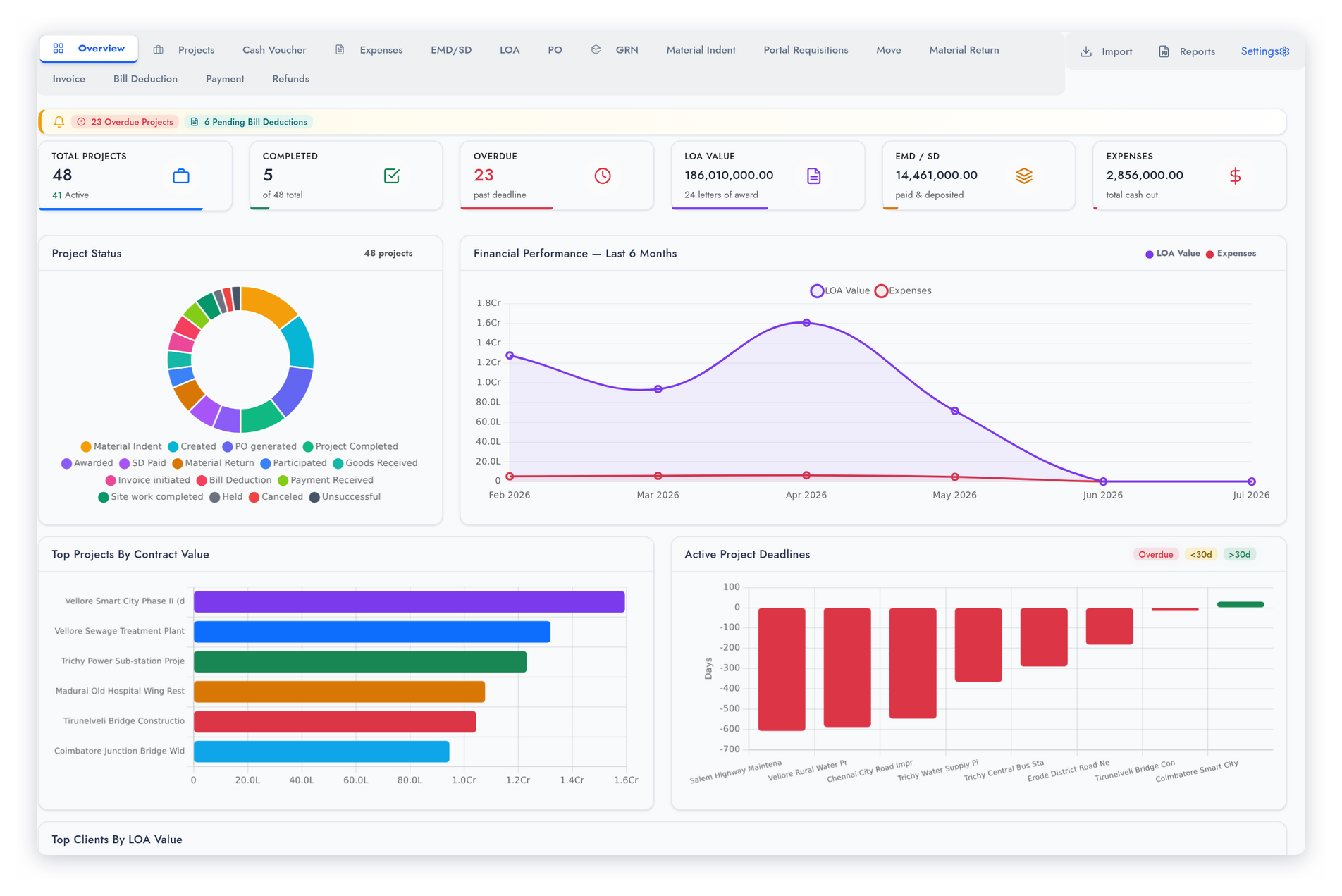
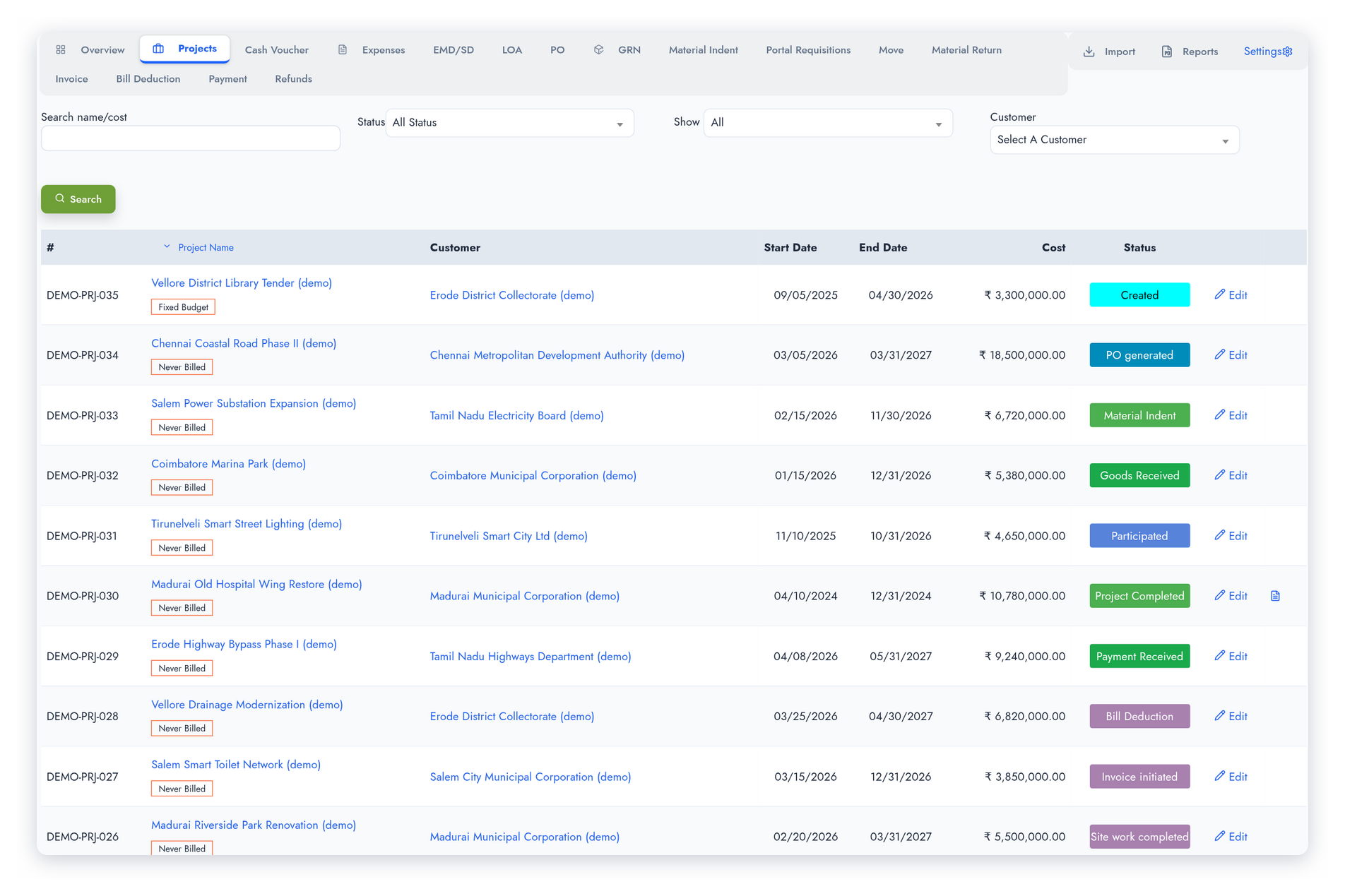
Create a tender project record capturing the project name, region, circle, district, client, and estimated value. Track the project through its full lifecycle — from Created and Participated through Awarded, PO Generated, GRN, Material Indent, Site Work Completed, Invoice Initiated, and Payment Received.
The status moves forward on its own as you record the EMD, LOA, purchase orders, goods receipts, material movements and deductions; a manual status change asks for a date and a reason. The overview shows project counts, LOA value, deposits and expenses, the pipeline by status, upcoming deadlines and the latest projects at a glance.
EMD & Security Deposit
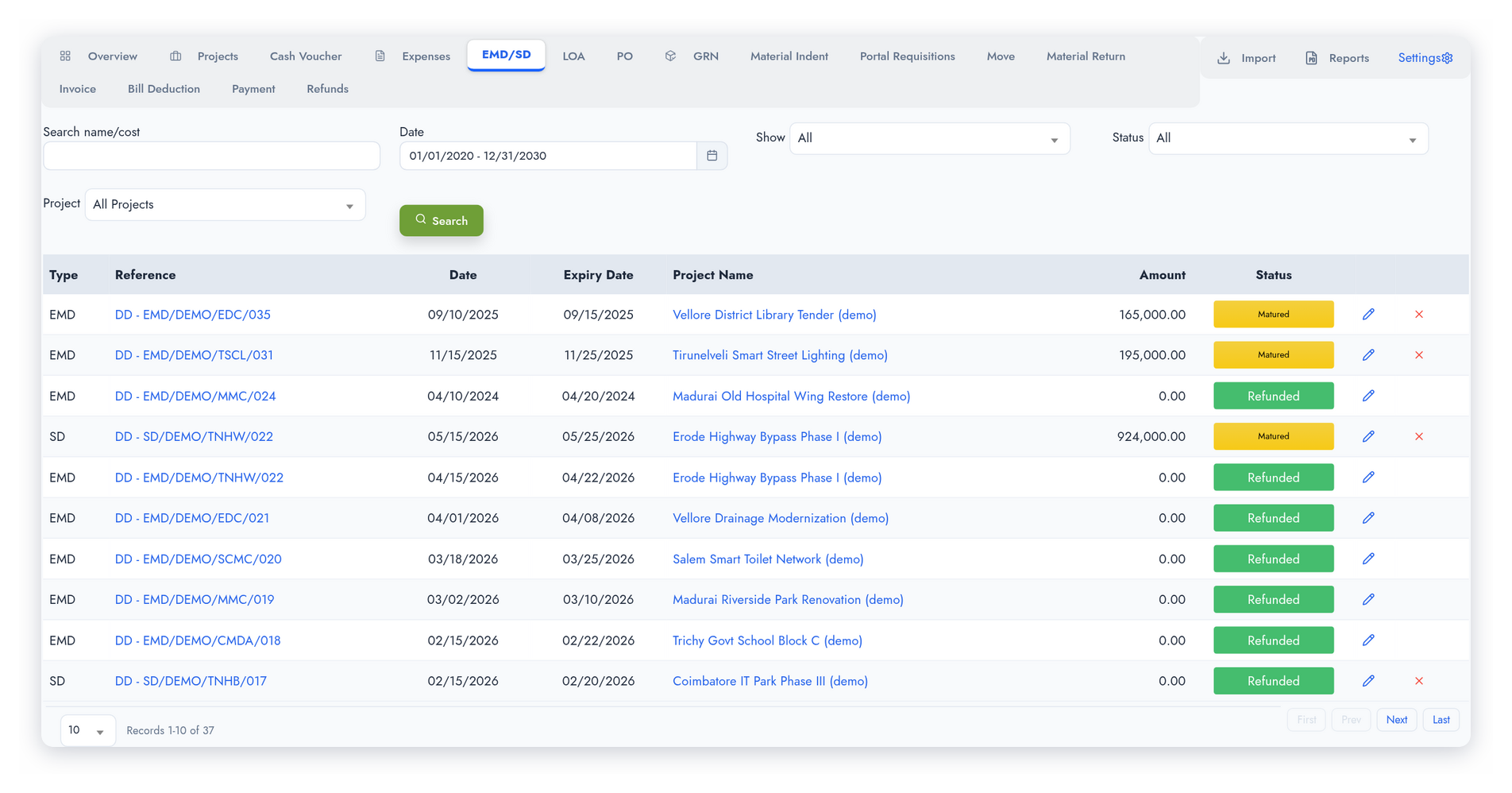
Record Earnest Money Deposits and Security Deposits against the tender project — the percentage, value, paid date, bank account, payment method (DD, bank guarantee, NEFT/RTGS/IMPS, or a fixed deposit for SD) and payment reference. For a bank guarantee, record its expiry date, the BG percentage and the BG amount. The SD payable is worked out net of the EMD already paid.
Each deposit shows where it stands — Paid, Matured, Refundable (when the project is cancelled or unsuccessful) or Refunded. The EMD/SD report filters matured and expired deposits, so each one is followed up before it is forgotten.
Letter of Award (LOA)
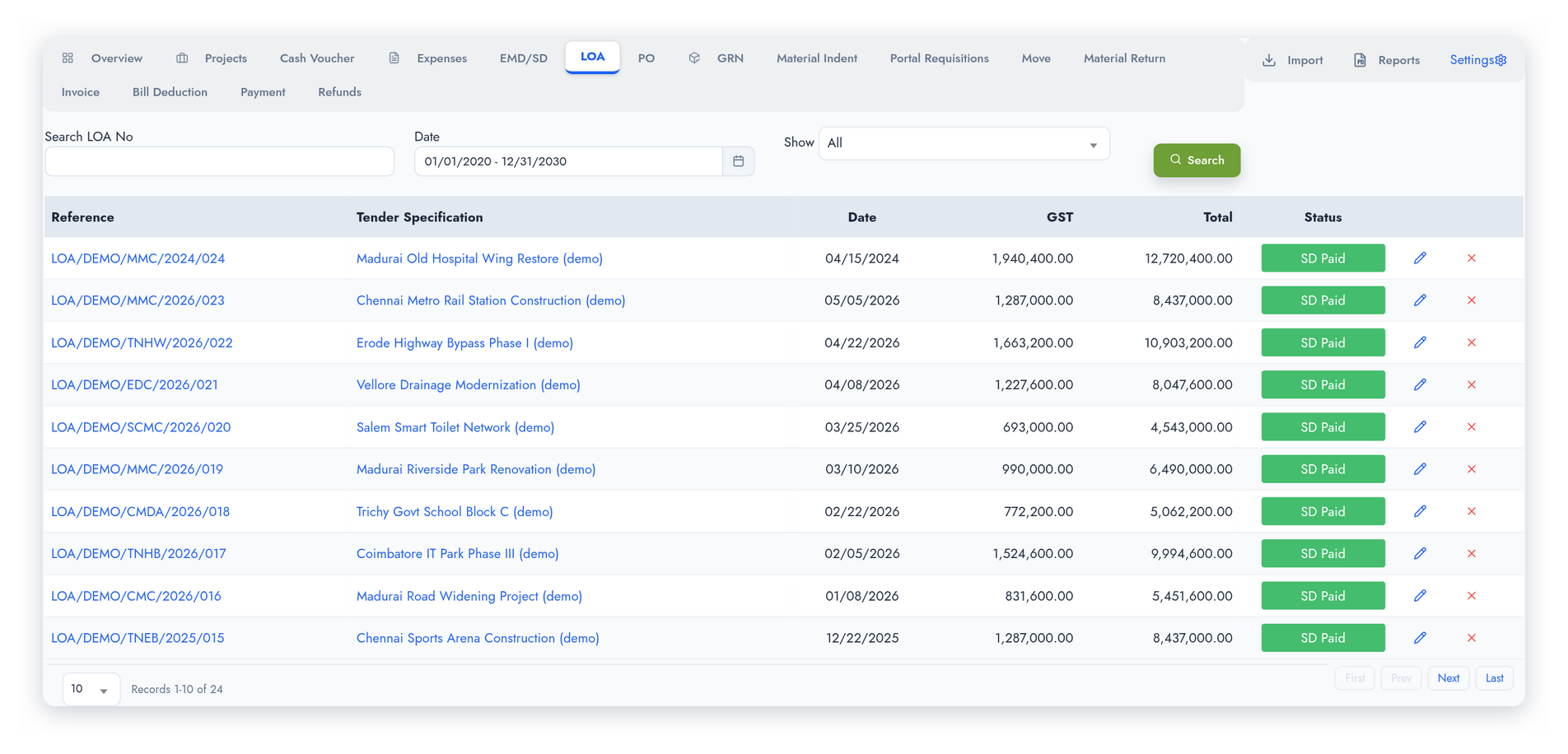
Create the Letter of Award against a project with the LOA number and date. Add the line items — each with the stock item, description, quantity and unit price. The LOA keeps count, line by line, of the quantity ordered from suppliers, issued to site and returned from site.
Each project has one LOA, which you can revise as the award changes. When work is ready to bill, tick the LOA lines and click Make Invoice to raise the project invoice from them — no retyping of items or rates.
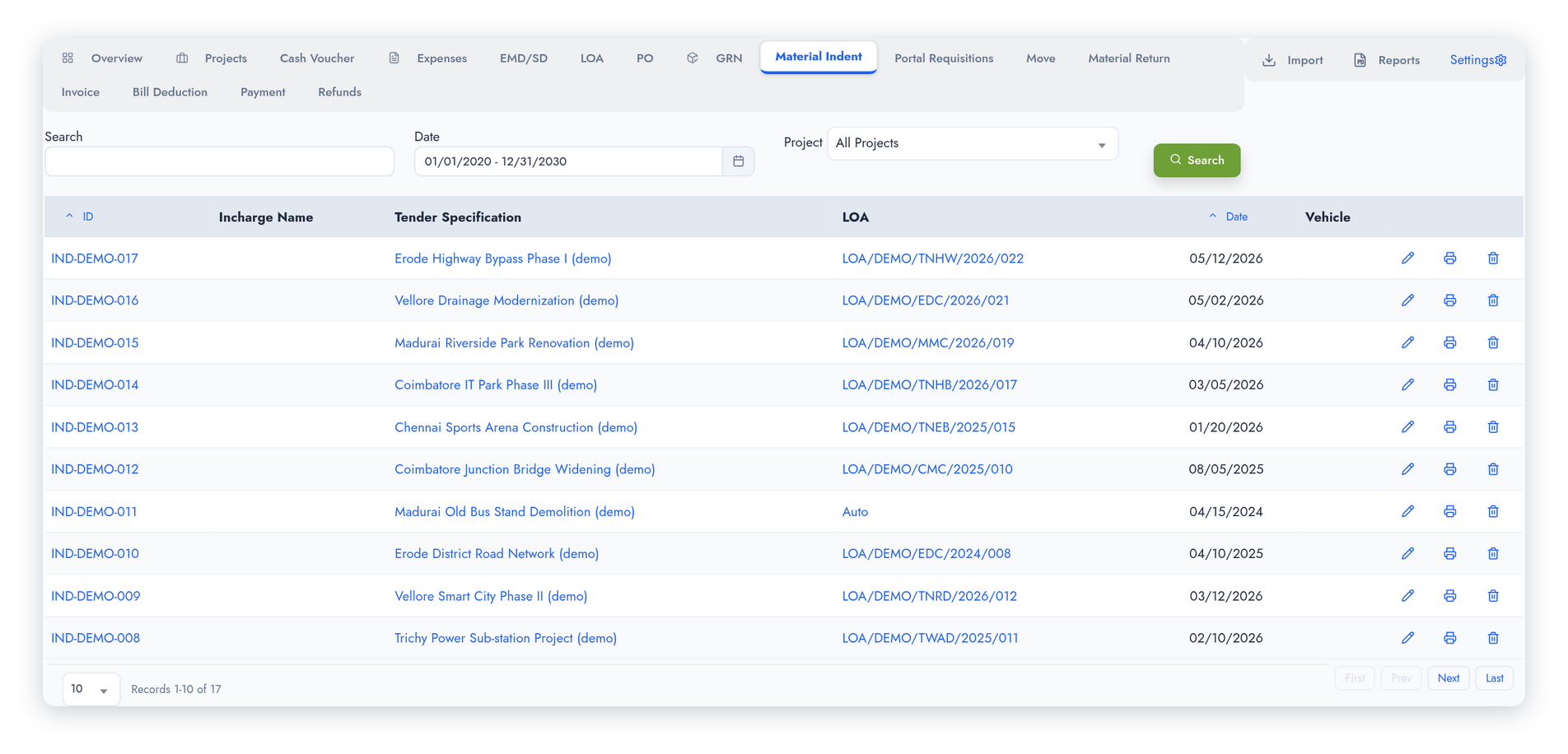
Material Indent, Transfer & Return
Issue materials from the warehouse to site using Material Indent — linked to the project, the LOA and the vehicle used for delivery. Transfer materials between project sites when they need to be redistributed, and bring unused materials back to the warehouse with a Material Return.
An indent takes stock out of the store and a return brings it back, with the accounting entries posted automatically; a site-to-site transfer is recorded without touching store stock. Each indent prints as a delivery challan for site acknowledgement, and the Materials Used report sums up what each project consumed against its LOA quantities.
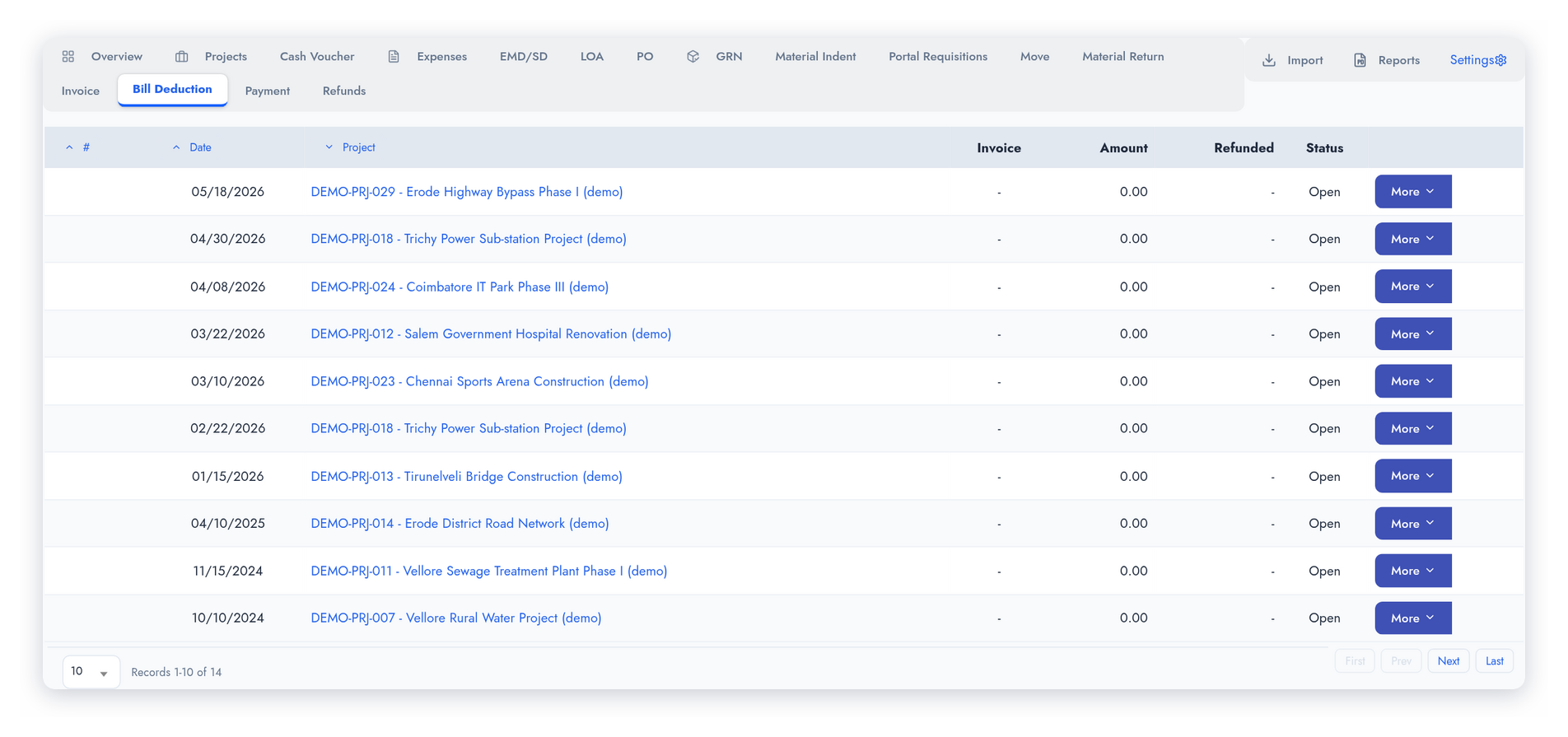
Bill Deductions
Record the deductions the client makes from your bills — retention, penalty or other contractual deductions — against the project invoice or any sales invoice. Each deduction reduces what is outstanding on that invoice, and each line can be marked refundable, so retention you are owed stays open until it comes back.
Cash vouchers record advances and petty cash given to site staff. The expense claims they submit are booked against the project and settle the advance. Deductions and cash vouchers post their accounting entries automatically.
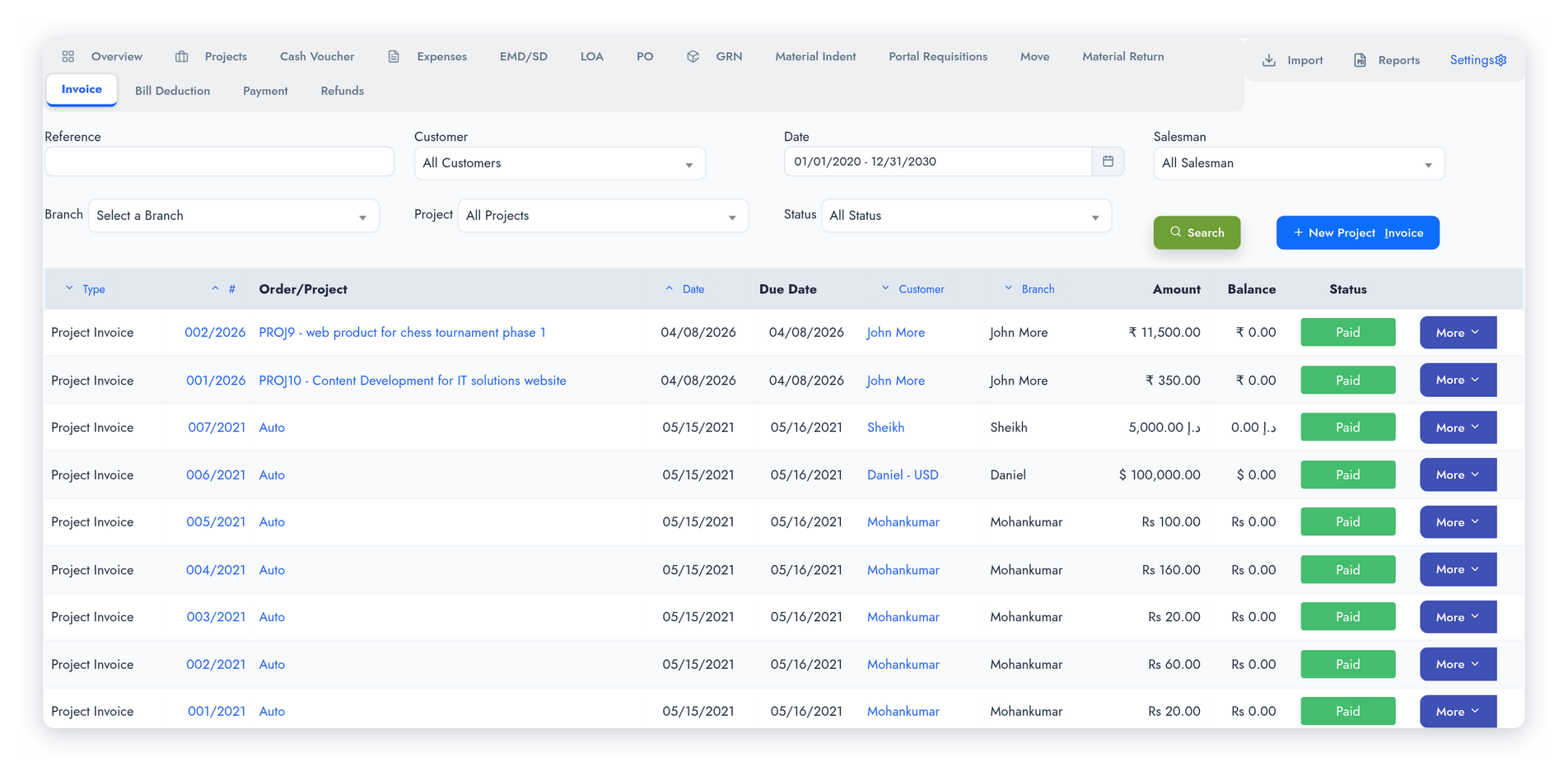
Invoice, Payment & Refund
Raise project invoices from the LOA lines that are ready to bill. Record payments as the client pays — partial payments and the balance outstanding are tracked per invoice. A refund records money the client pays back into your bank: the EMD or SD, refundable deductions, and any interest received.
The Project Profitability report brings it all together for each project: LOA value, EMD and SD, purchase orders, goods received and purchase invoices, expenses, material used, deductions, refunds and payments received — from award to close.
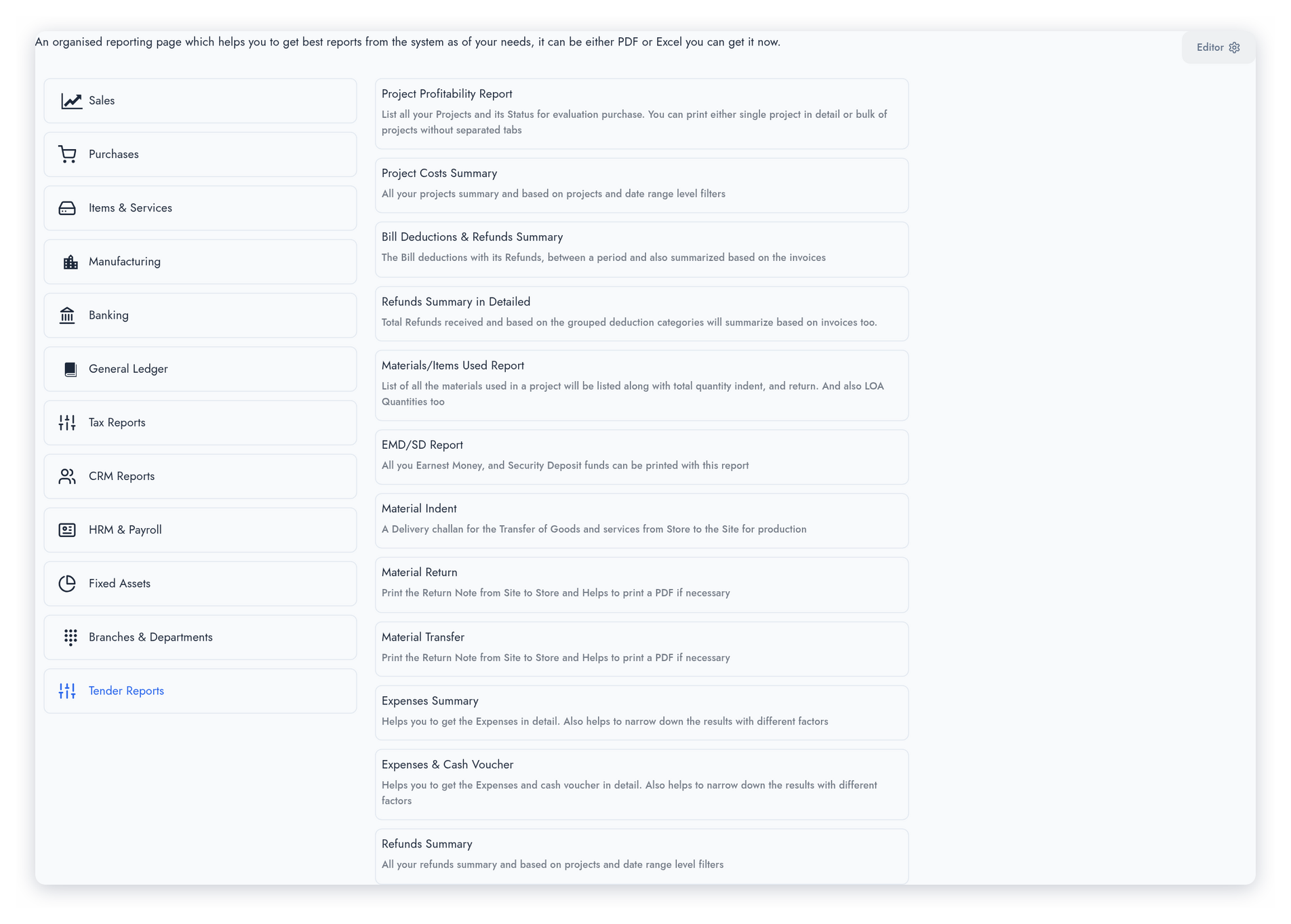
Reports
Comprehensive reporting suite covering every aspect of tender project execution.
- Project Profitability Report
- Project Costs Summary
- EMD / SD Report, with matured and expired filters
- LOA Report
- Material Indent (delivery challan)
- Material Return and Material Transfer prints
- Materials / Items Used Report
- Bill Deductions & Refunds Summary
- Refunds Summary
- Expenses Summary and Expenses & Cash Voucher
- Project Progress Report
- Tasks
TenderPro in a few minutes
Short films on how a contractor runs government tenders in TenderPro — from the bid and the deposits to the award, site materials, billing and recovery.
Other Features of TenderPro
Everything needed to run tender projects with full cost control and compliance.
Region / Circle / District
Record each project’s region, circle and district — shown on the project and carried into the profitability report.
Project Status Tracking
Sixteen project statuses in all — from Created and Participated through Awarded, Material Indent and Payment Received to Project Completed, along with Held, Unsuccessful and Cancelled. Most move on their own as you work; manual changes record a date and a reason.
Vehicle Master
Define the vehicles used to carry material to site — model, number, driver and phone — and pick the vehicle on each material movement.
Cash Vouchers
Record site advances and petty cash given to project staff; their expense claims are booked to the project and settle the advance.
PO & GRN Integration
Raise purchase orders from the project. The LOA’s ordered quantities and the project status update as you go, and POs, goods receipts and purchase invoices all appear in the project’s profitability report.
Expense Tracking
Record and categorise project expenses — labour, site costs and overheads — with expense heads you set up, each mapped to its own ledger account.
Activities, Tasks & Files
Log activities and reminders against each project, assign tasks to the team, and keep the tender documents in the project’s files.
GL Auto-Posting
EMD and SD payments, indents and returns, invoices, deductions, payments and refunds post their journal entries to the general ledger automatically.
Daily Site Progress
Set up sites, main tasks and sub-tasks with targets, then record dated progress for each site with hindrance reasons — and print progress against plan.
Material Requests from Site
Site staff request material issues or returns from the employee portal on their phone. Once the office approves the quantities, the indent or return is created and the requester is notified.
Site Review of Claims
Name a site manager on a project and staff expense claims from the portal go to them first, to approve or reject before the normal approval chain.
Scan & Import
Scan an indent, return or transfer slip and it is matched to the project, LOA and items to fill in the movement; import a staff member’s cash and expense sheet from Excel.
Project Overview Dashboard
Tender projects on one screen — counts by status, LOA value, deposits, upcoming deadlines, staff cash balances and alerts — so nothing falls through the cracks.
Inventory Integration
Material indents and returns update ERP stock the moment they are saved, and every movement is tied to its project and LOA — no separate register for site materials.
Project Profitability
LOA value against purchases, expenses, material used, deductions and collections, project by project — on demand, at any stage.
Bring your data. We’ll keep it right — and keep making it better.
Switching software is the hard part. We help you move, keep your records sound, and keep improving the system with you.
Data migration & opening balances
Move across from Tally, Zoho, QuickBooks, Xero, Sage 50 or SMACC, or from Excel templates for items, customers, suppliers, employees, chart of accounts and opening balances. You preview every row before it is saved — and our team helps you through it.
Your data, kept right
Your database is backed up three times a day — every 8 hours — and your files are backed up too. Each company keeps its own separate database; roles decide who can see, enter, approve or void; every change is on the audit trail; and everything exports to Excel or PDF whenever you want it.
Always improving, with you
We follow up regularly with the businesses that use it, and their requests become features. Updates arrive on your account automatically — nothing to download or reinstall.
Connected to what comes next
GST e-invoice and e-way bill, ZATCA, WooCommerce, WhatsApp, biometric devices, online payment gateways, mobile apps and an AI assistant — and new connections are added as the market moves.
TenderPro: common questions
Yes. EMD can be paid by DD, bank guarantee or NEFT/RTGS/IMPS, and a security deposit can also be a fixed deposit. A bank guarantee records its expiry date, the BG percentage and the BG amount.
Yes. When you record the security deposit, the amount payable is worked out as the SD value less the EMD already paid.
Use Process Refund on the project once it is awarded, completed, cancelled or unsuccessful. The money is recorded into your bank account, any interest received can be added, and the deposit shows as Refunded.
Record them as bill deductions against the project invoice or a sales invoice, and mark each line refundable where the client will pay it back. Each refundable line stays open until a refund records the money coming in.
Yes. A material indent takes the material out of the store and a material return brings it back, with the accounting entries posted for you. Transfers between two sites are recorded against the projects without changing store stock.
Yes, through the employee portal. The office approves the quantities, and the indent or return is then created automatically and the requester is notified.
Yes. Set up sites and tasks with targets, enter dated progress for each site with any hindrance reasons, and print the Project Progress report to compare progress against plan.
Yes. Sample projects, deposits, LOAs, material movements, deductions and refunds can be installed in one step and cleared again when you are ready to start with your own tenders.
Ready to manage your Tender Projects better?
Join businesses across India, UAE & GCC using TamilAccounting