Job Entry
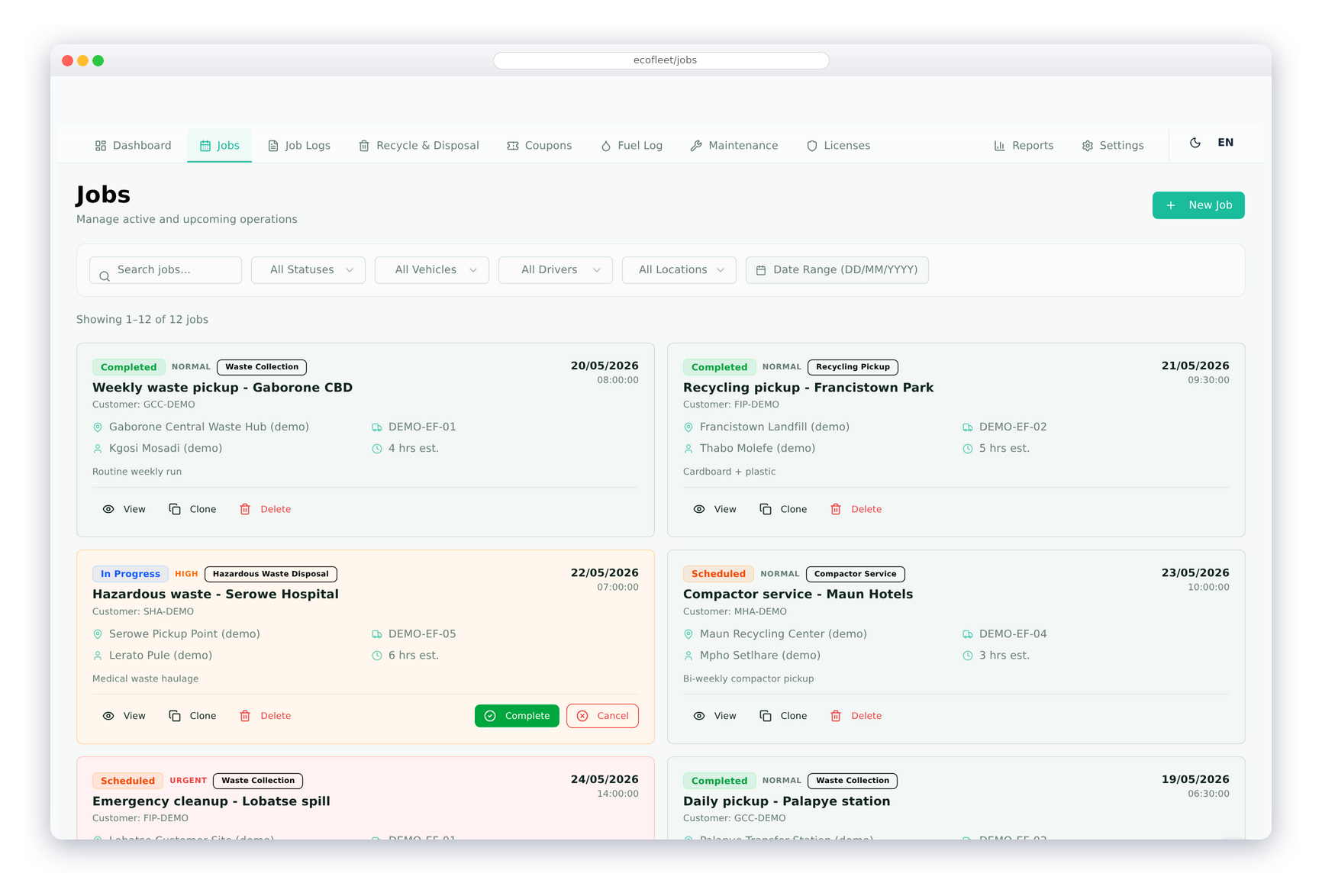
Create a job with its type, customer, location, assigned truck and driver, scheduled date and time, priority, planned loads and estimated duration. A job moves from Pending to In Progress to Completed (or Cancelled) with Start Job and Complete Job buttons.
Create Invoice on a job opens the normal sales invoice for its customer. Once it is saved it is linked to the job, which lists every invoice raised against it and the total billed — so revenue is always tied back to the work.
Job Log
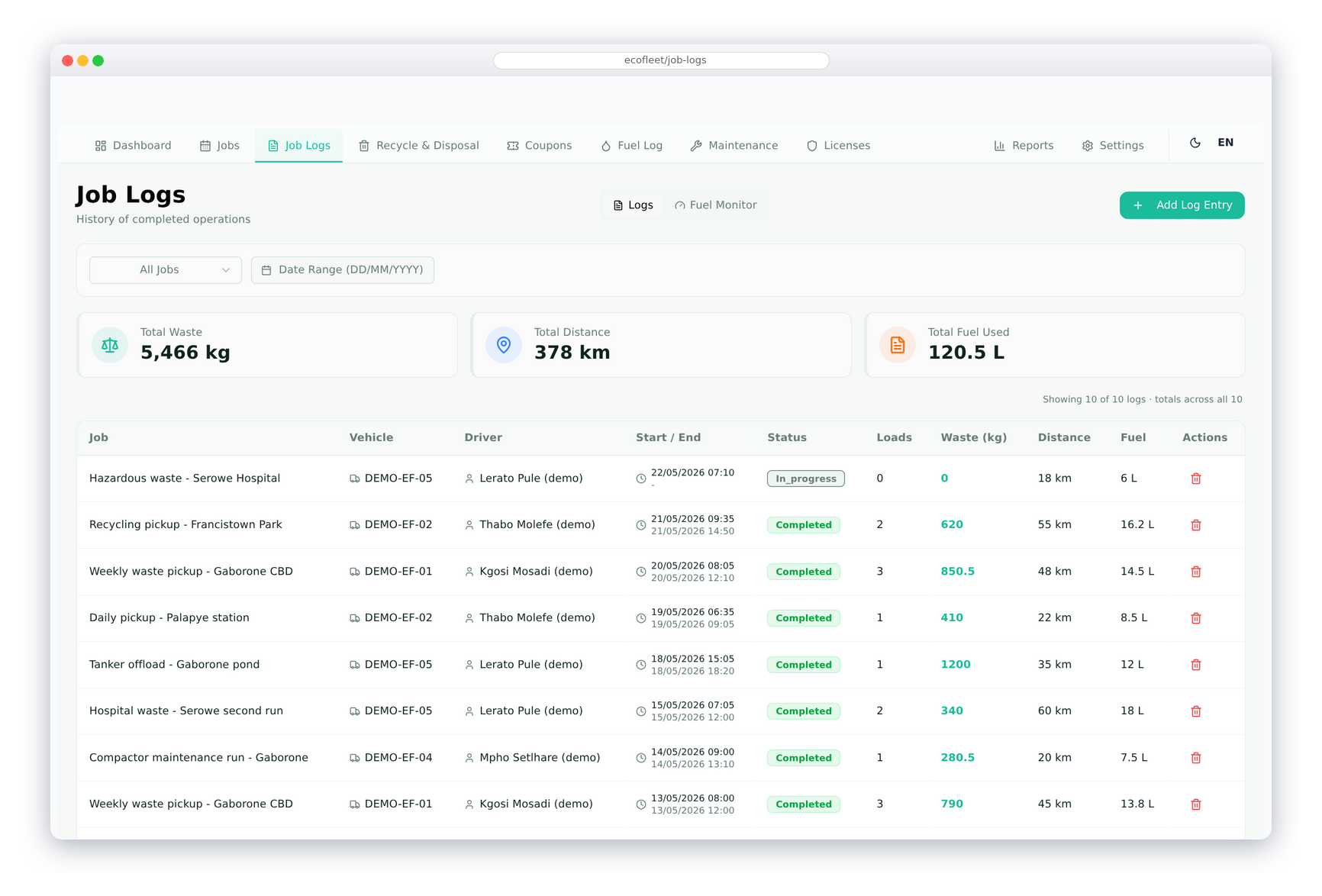
Log what actually happened on each trip — start and end time, distance travelled, fuel issued and used, loads carried and kilograms collected. The job log is the trip-level record of every truck movement against a job.
Leave the fuel used blank and it is estimated from the distance and the truck’s rated consumption, then taken off the truck’s fuel balance. Each truck’s actual consumption is compared with its rated figure, so the thirsty ones stand out.
Waste Collection
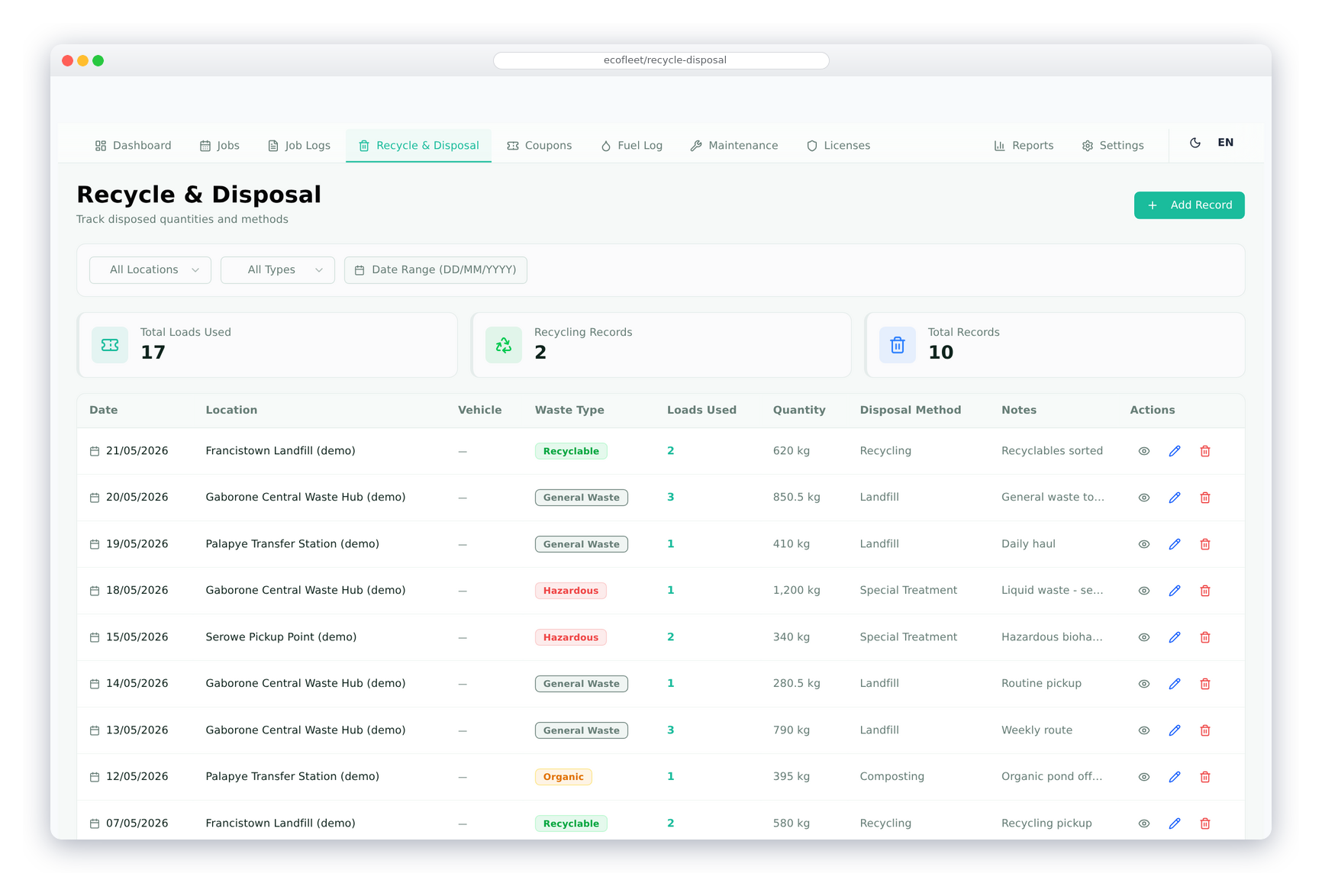
Record each collection — the location, the truck, the waste type, kilograms, number of loads, the disposal method and the sewage pond the waste went to — and link it to its job if there is one. Recording a disposal at a pond deducts the loads from that pond’s coupons automatically.
Waste types and disposal methods are yours to set up. Several collections can be logged against one job for multi-stop routes, and the collection list filters by location, waste type and date — a complete picture of what was collected and where it went.
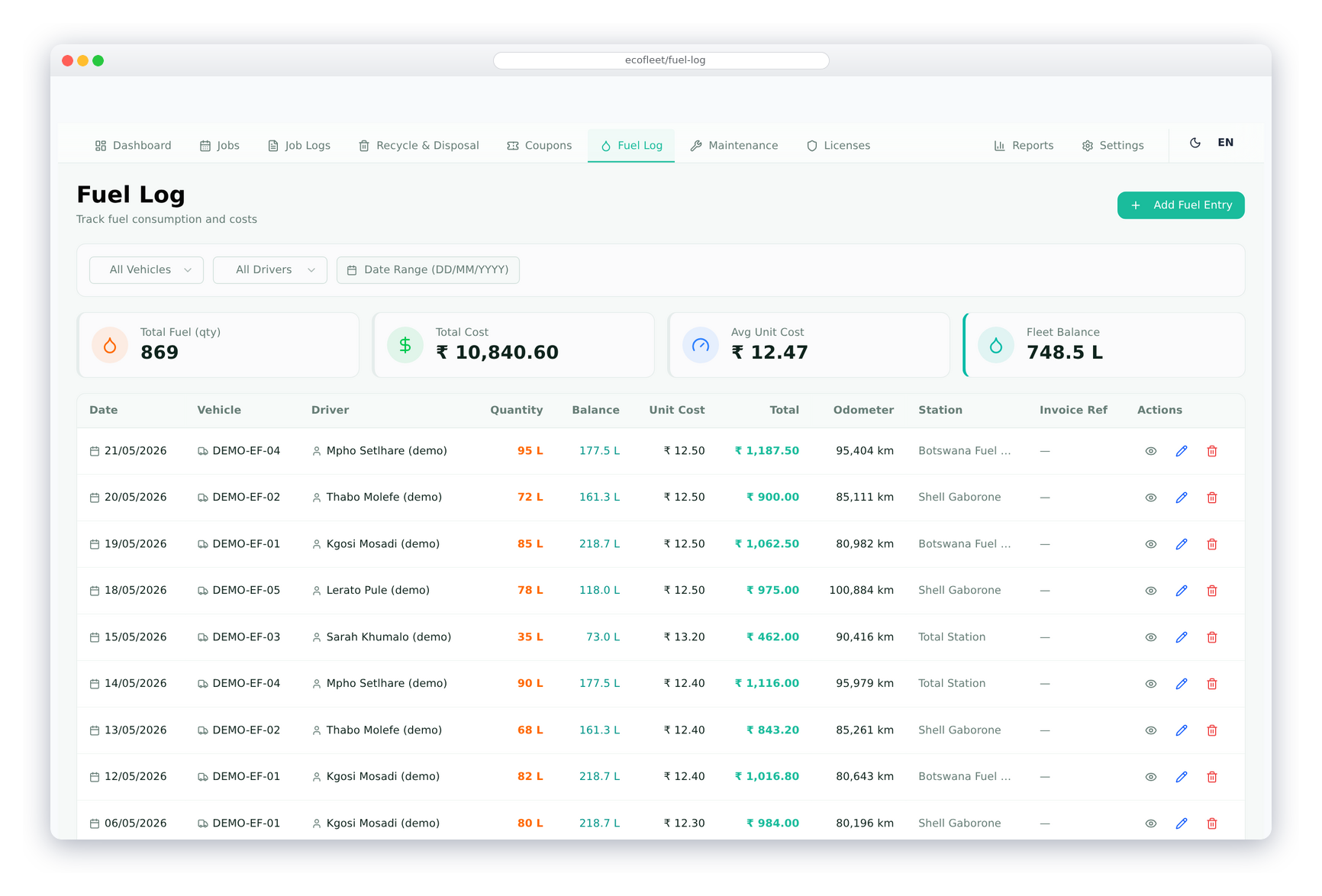
Fuel Log
Record every fill-up with the truck, fuel station, date, litres, unit price, total cost and odometer reading. A reading lower than the last one is refused, and the truck’s fuel balance goes up with every fill-up and down with every trip.
Link a fuel station to its supplier and each fill-up raises the supplier invoice for you — marked paid if you pick a bank account — and editing the entry replaces the invoice. Each truck shows litres filled, litres used, fuel balance and actual against rated consumption.
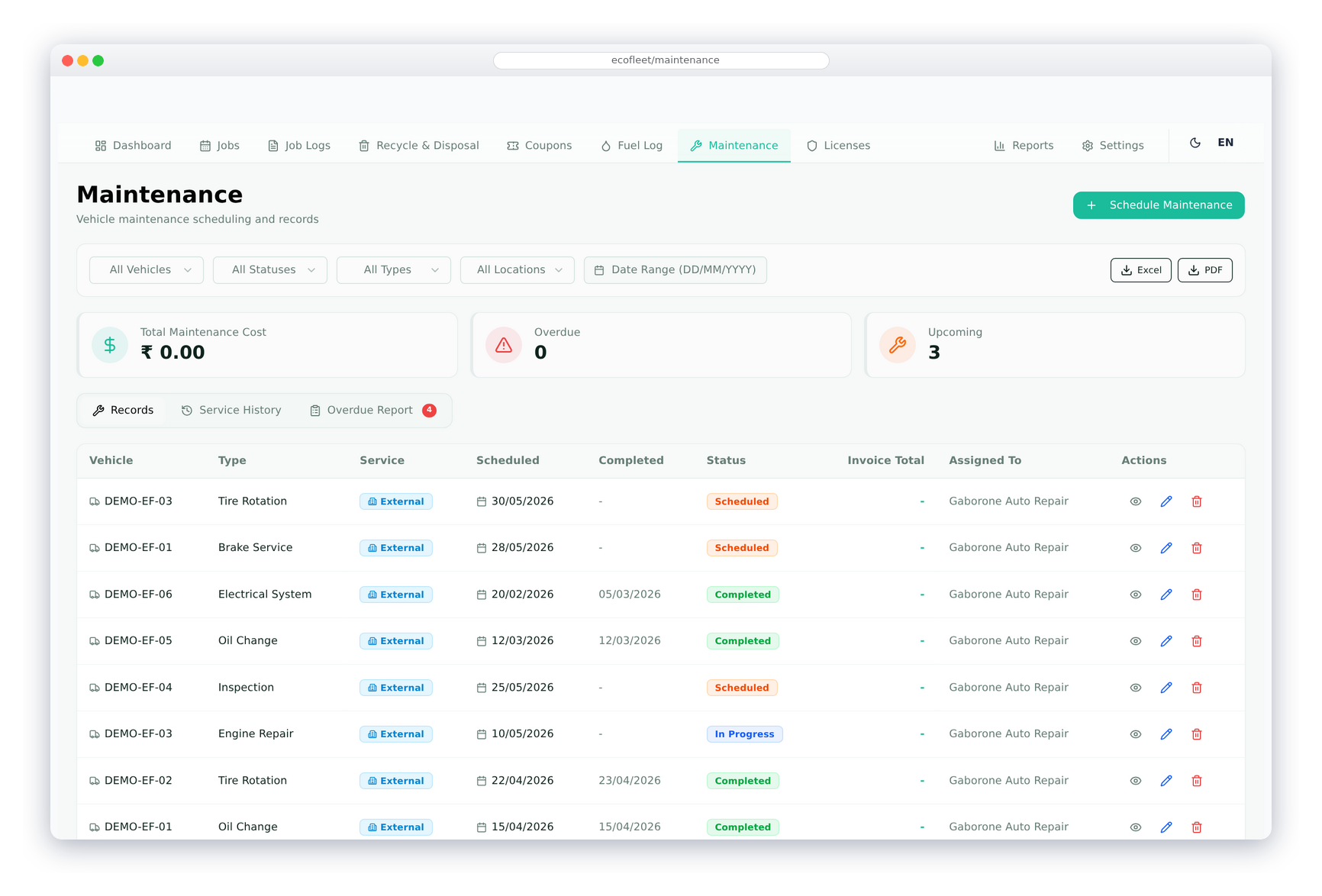
Maintenance
Log maintenance against each truck — the maintenance type, in-house or at a service station, the scheduled and completed dates, the next due date or odometer reading, the work done, the cost and the status. Maintenance types are yours to set up.
From a maintenance record, open a purchase invoice pre-filled with the garage, or link one you already have; several bills can be linked and totalled. The Maintenance Report shows the cost per vehicle — useful when deciding whether a truck is worth keeping.
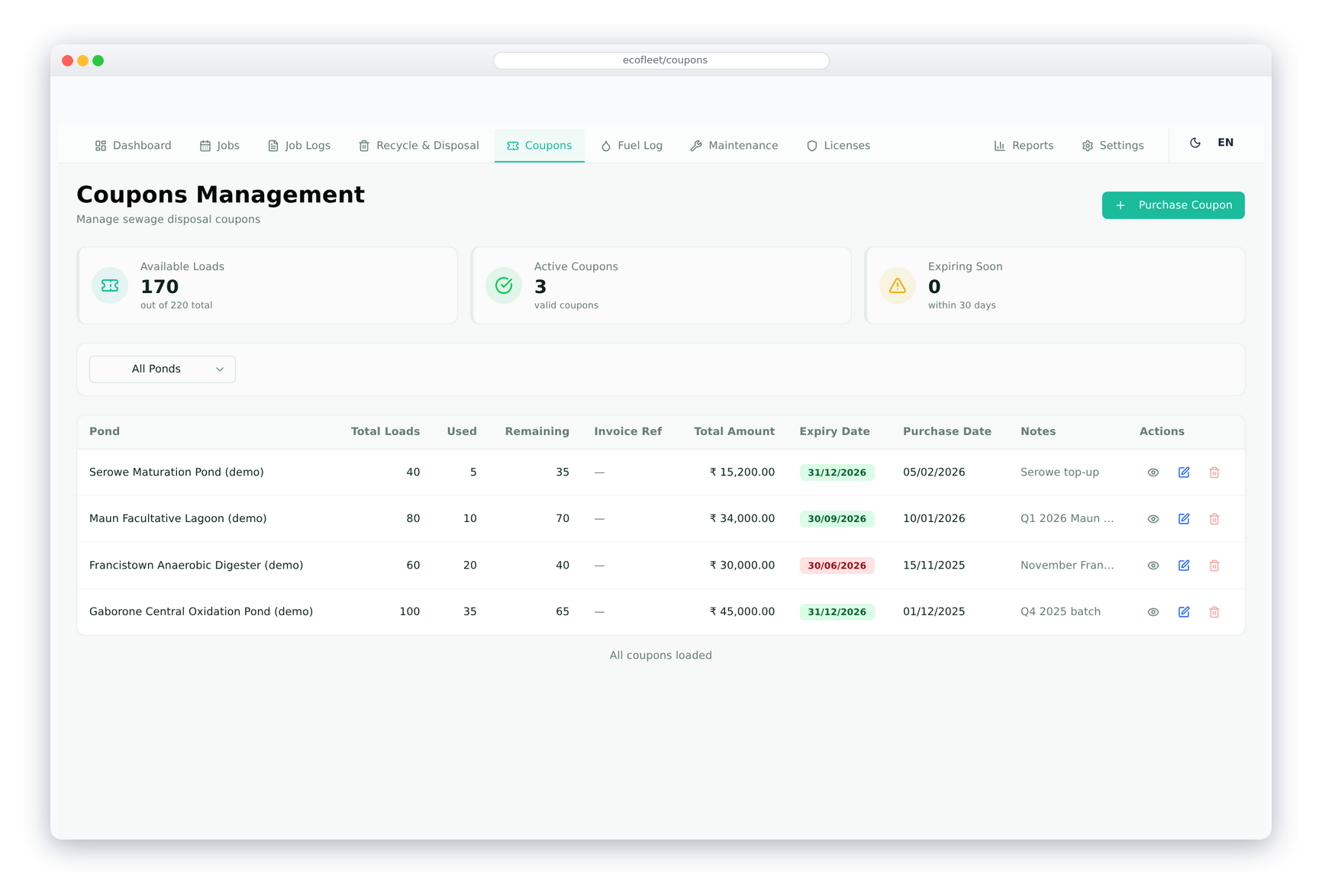
Sewage Pond Coupons
Buy coupons for sewage ponds from suppliers — number of coupons, unit price, total and expiry date — and the supplier invoice is raised with the purchase. Each pond keeps its own coupon balance.
When a disposal is recorded at a pond, the loads come off its oldest unexpired batch first; editing or deleting the record puts them back. Expired batches drop out of the balance, the coupons page flags batches expiring within 30 days and shows loads used per vehicle, and the full usage history is kept.
Other Features of EcoFleet
Built specifically for waste management fleet operations — fully integrated with the ERP.
Vehicle Master
Manage vehicles with plate number, type, make, model, year, capacity, fuel type, and current odometer. Track insurance expiry and consumption rate per vehicle.
Driver Management
Driver profiles with licence number, licence expiry, phone and assigned vehicle, each linked to the employee record in the ERP.
Vehicle Licence Tracking
Track several licence types per vehicle with licence number, issue and expiry dates. Each licence type has its own reminder period, and the dashboard lists licences due in the next 60 days.
Location Management
Define collection sites and disposal facilities with address, GPS coordinates, contact person and type — used on jobs and waste collections.
Sewage Pond Management
Manage sewage ponds with capacity, current level, supplier and unit price. Each pond tracks its own coupon balance, and coupon purchases raise the supplier invoice.
ERP Invoice Integration
Fuel and coupon purchases raise supplier invoices automatically. Job and maintenance invoices open pre-filled from the record and stay linked to it — no duplicate entry.
Dashboard & Reports
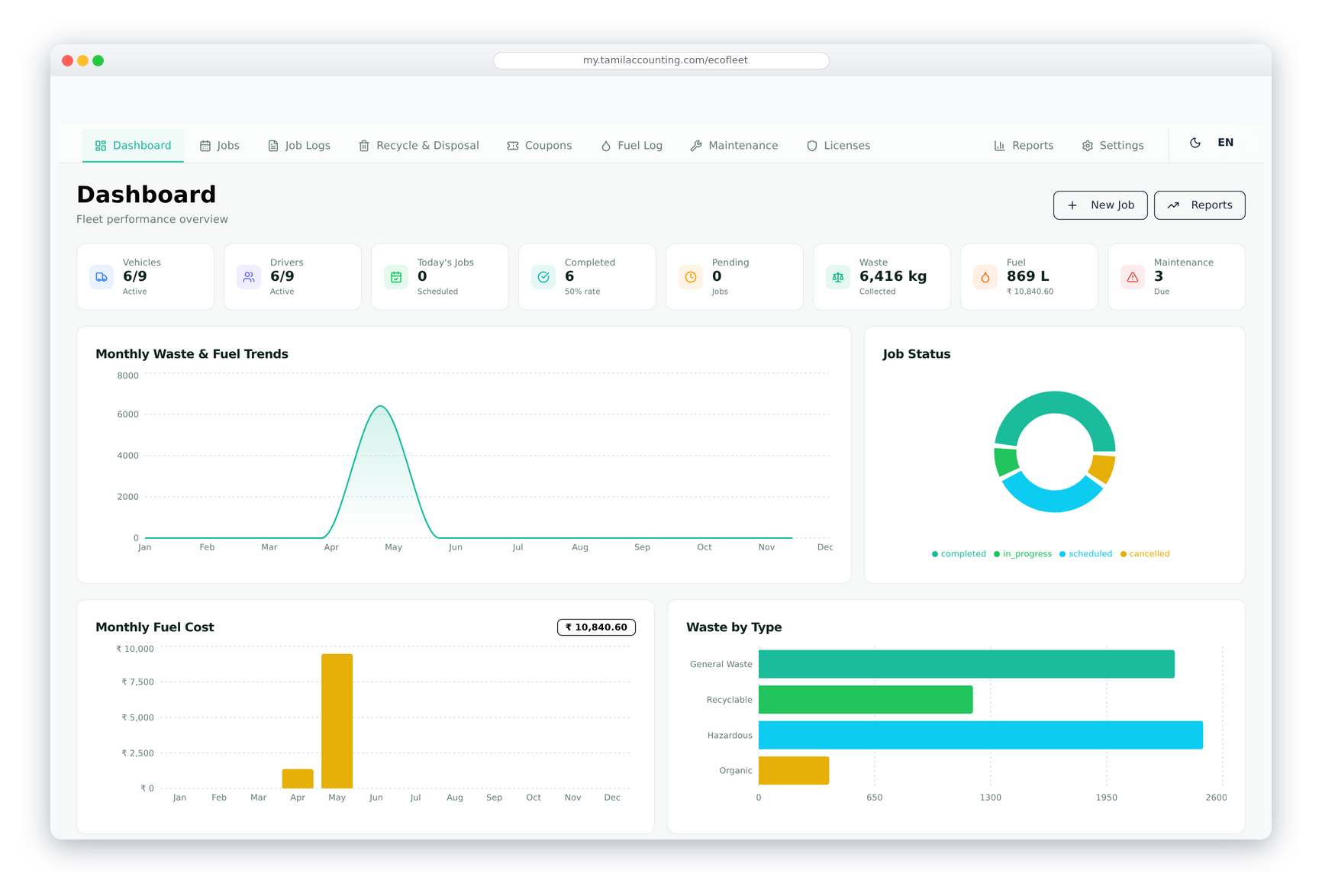
Live dashboard with fleet statistics, recent activity, and key metrics. Reports cover jobs, fuel, maintenance, waste collection, and coupon usage.
Fully Configurable
Waste types, disposal methods, job types, maintenance types, vehicle types, licence types, fuel stations and service stations are all set up from the settings panel.
Purpose-Built for Waste Management
EcoFleet is specifically designed for waste collection fleets — with sewage pond coupons, waste type tracking, and disposal method recording built in from the ground up.
Full ERP Integration
Jobs bill customers, while fuel, coupons and repairs are billed by suppliers — all as ordinary ERP invoices that post to the ledger. Drivers are employees and trucks can be linked to fixed assets.
Modern React Interface
EcoFleet runs on a fast, modern React-based frontend — giving a smooth, app-like experience for dispatchers and fleet managers accessing it from any device.
Bring your data. We’ll keep it right — and keep making it better.
Switching software is the hard part. We help you move, keep your records sound, and keep improving the system with you.
Data migration & opening balances
Move across from Tally, Zoho, QuickBooks, Xero, Sage 50 or SMACC, or from Excel templates for items, customers, suppliers, employees, chart of accounts and opening balances. You preview every row before it is saved — and our team helps you through it.
Your data, kept right
Your database is backed up three times a day — every 8 hours — and your files are backed up too. Each company keeps its own separate database; roles decide who can see, enter, approve or void; every change is on the audit trail; and everything exports to Excel or PDF whenever you want it.
Always improving, with you
We follow up regularly with the businesses that use it, and their requests become features. Updates arrive on your account automatically — nothing to download or reinstall.
Connected to what comes next
GST e-invoice and e-way bill, ZATCA, WooCommerce, WhatsApp, biometric devices, online payment gateways, mobile apps and an AI assistant — and new connections are added as the market moves.
EcoFleet: common questions
Yes. Sewage ponds with prepaid disposal coupons sit alongside waste types and disposal methods that you set up yourself, so the same system covers tanker runs, skips and general collections.
Recording a disposal at a pond takes the loads off that pond’s oldest unexpired coupon batch. Editing or deleting the record puts them back. The form shows how many loads are left and warns you if you enter more than that.
Yes. Choose the fuel and coupon items in the settings and link each fuel station and pond to its supplier; from then on every fill-up or coupon purchase raises the supplier invoice. Pick a bank account on the entry and it is recorded as paid.
Click Create Invoice on the job. The normal sales invoice opens for that customer, and once it is saved it is linked to the job. A job can carry several invoices, with a running total of what has been billed.
Yes. Fill-ups add to each truck’s fuel balance and trips take it away. If the fuel used on a trip is left blank, it is estimated from the distance and the truck’s rated consumption, and actual against rated consumption is shown for every truck.
Yes, on screen. Each licence type has its own reminder period, licences show as Expiring Soon or Expired, and the dashboard lists every licence due in the next 60 days.
Yes. From a maintenance record, open a purchase invoice already filled in with the garage, or link one you have entered. Several bills can be linked to one record and totalled, and the Maintenance Report shows the cost per vehicle.
Yes. EcoFleet can be installed with sample data and the sample data cleared later — anything already invoiced is kept.
Ready to manage your Waste Fleet smarter?
Join businesses across India, UAE & GCC using TamilAccounting