Many suppliers give two discounts. One comes off the invoice at once. The other is promised for later: a rebate for meeting a target, a scheme discount, or a price correction the supplier will "settle at the end of the quarter". The goods are in your warehouse today, but the second discount only reaches your supplier balance weeks later, and sometimes it is smaller than promised. The Deferred Discount app in TamilAccounting records that second discount the day the goods arrive, so the stock cost is right from day one. The supplier balance only comes down when the supplier confirms what it will give, and any shortfall is written off cleanly.
The problem with discounts that come later
- Stock is costed too high. If you wait for the supplier's credit note, the goods sit at the full price. Every sale before then carries a cost of goods that is too high, and your margins look worse than they are.
- The supplier balance is wrong in the other direction. If you take the promised discount off the supplier straight away, your books say you owe less than the supplier's statement says. When the supplier gives less than promised, nobody knows where the gap went.
- Returns get messy. When goods go back, which discounts go back with them? The answer is different before and after the supplier has settled, and doing it by hand is where errors creep in.
How it works
There are two discounts on every purchase line, and both are written the same way: a percentage of the price plus a value per unit. For example, 2% + 10.00 per unit on a price of 1,000.00 is 30.00 a unit.
- Immediate discount: typed on the purchase order, GRN or supplier invoice as usual, in the Discount % and Discount / Unit columns. It lowers the price you receive the goods at. If you choose to hold it, the supplier stays at the full amount until settlement, and the discount waits in the supplier's discount account.
- Deferred Discount Entry: after the GRN (or a direct supplier invoice) is posted, you record the deferred discount on its lines. It is pre-filled from the supplier's Deferred Discount Terms, and you can change it. Saving it lowers the cost of the goods (and the item's average cost) and puts the amount in a Deferred Discount Provision account.
- Confirmation: when the supplier tells you what it will actually give, you record it per line. This has no accounting effect. Only the deferred discount can change, and it can only go down.
- Settlement: you pick the lines (or a whole supplier) and post one settlement. The supplier balance comes down by the immediate discount plus the confirmed deferred discount, the provision and the held discount are cleared, and any shortfall goes to a Deferred Discount Shortfall account.
Supplier debit notes (returns) are handled for you, whether the goods go back before or after the settlement, and the returned stock always leaves at its current average cost.
What you need to turn on
Company preferences
- Use Amount Discount in Purchase Line Discount: adds the Discount / Unit column next to Discount % on purchase lines.
- Supplier Returns at Average Cost: a debit note takes the returned stock out at the item's current average cost. The difference from the return value goes to the item's inventory adjustment account.
- Discard GRN Discount: switch it off, so goods are received net of the immediate discount.
- Items must use average costing, because the deferred discount changes the average cost.
Deferred Discount Settings (Purchases → Settings)
- Deferred Discount Provision: the account that holds deferred discounts until the supplier settles them.
- Deferred Discount Shortfall: the account that takes the part of a deferred discount the supplier did not give.
- Hold the immediate discount until settlement: the supplier stays at the full amount and both discounts come off together at settlement.
- Deferred discount entry: Manual (you record it on the Deferred Discount Entry page) or Automatic (every posted GRN takes its deferred discount from the terms).
Under Deferred Discount Terms you can save each supplier's usual deferred discount for all items, for a category, or for one item, with optional validity dates. The most specific active terms win.
Worked example
Every figure below follows one purchase so you can trace it from start to finish. A supplier sells you 100 units of Item A at 1,000.00. The terms are:
| Discount | Written as | Per unit | On 100 units |
|---|---|---|---|
| Immediate | 2% + 10.00 per unit | 30.00 | 3,000.00 |
| Deferred | 3% + 20.00 per unit | 50.00 | 5,000.00 |
| Cost per unit | 1,000.00 − 30.00 − 50.00 | 920.00 | 92,000.00 |
Item A had no stock before this purchase, and "hold the immediate discount" is on.
1. The goods arrive and the supplier invoice is posted
The GRN receives the goods net of the immediate discount (970.00 a unit). The supplier invoice credits the supplier, and the app's held discount journal brings the supplier back up to the full price, keeping the immediate discount waiting in the supplier's discount account. After these three documents the books show:
| Account | Debit | Credit |
|---|---|---|
| Inventory (100 × 970.00) | 97,000.00 | |
| Discounts received (immediate discount, held) | 3,000.00 | |
| Supplier | 100,000.00 |
2. Deferred Discount Entry on the GRN
You open the GRN, choose Deferred Discount, check the pre-filled 3% + 20.00 and save. The cost of the goods comes down at once and the item's average cost drops from 970.00 to 920.00.
| Account | Debit | Credit |
|---|---|---|
| Deferred Discount Provision | 5,000.00 | |
| Inventory | 5,000.00 |
Inventory is now 92,000.00, exactly 100 × 920.00. The supplier still shows 100,000.00, which matches the supplier's own statement.
3. Settlement: the supplier gives everything it promised
| Account | Debit | Credit |
|---|---|---|
| Supplier (3,000.00 + 5,000.00) | 8,000.00 | |
| Deferred Discount Provision | 5,000.00 | |
| Discounts received (held immediate discount released) | 3,000.00 |
The supplier now shows 92,000.00, the same as the stock. The provision and the held discount are both back to zero. The settlement is allocated against the invoice, so the supplier ledger stays tidy.
4. Settlement: the supplier gives less
Now suppose the supplier confirms only 3% + 10.00 (40.00 a unit) instead of 50.00. You record that on the Confirmation screen (no accounting yet), then settle:
| Account | Debit | Credit |
|---|---|---|
| Supplier (3,000.00 + 4,000.00) | 7,000.00 | |
| Deferred Discount Shortfall (100 × 10.00) | 1,000.00 | |
| Deferred Discount Provision | 5,000.00 | |
| Discounts received | 3,000.00 |
You owe the supplier 93,000.00. The stock stays at 92,000.00: the 1,000.00 the supplier did not give is shown as its own expense, so you can see exactly what each supplier's promises cost you.
5. Supplier debit note BEFORE the settlement
Ten units go back to the supplier before anything is settled. The supplier is credited at the full price, because it never gave either discount on those units. Both discounts on them are released, and the stock leaves at its average cost.
| Account | Debit | Credit |
|---|---|---|
| Supplier (10 × 1,000.00) | 10,000.00 | |
| Inventory (10 × 920.00, average cost) | 9,200.00 | |
| Discounts received (held immediate on 10 units) | 300.00 | |
| Deferred Discount Provision (deferred on 10 units) | 500.00 |
The settlement then covers the 90 units you kept: Dr Supplier 7,200.00, Cr Provision 4,500.00, Cr Discounts received 2,700.00. The supplier ends at 82,800.00 and the stock at 82,800.00 (90 × 920.00).
6. Supplier debit note AFTER the settlement
Ten units go back after the supplier has settled. You have already received both discounts on them, so the supplier is credited at the net price: 1,000.00 − 30.00 − 50.00 = 920.00 a unit. The stock leaves at its current average cost. Say a later purchase moved the average to 930.00:
| Account | Debit | Credit |
|---|---|---|
| Supplier (10 × 920.00) | 9,200.00 | |
| Inventory adjustment (difference) | 100.00 | |
| Inventory (10 × 930.00, average cost) | 9,300.00 |
The average cost of the stock you keep does not move, and the small difference is visible in one place. If the supplier had settled with a shortfall, the net price uses the deferred discount it actually confirmed.
7. Some goods were sold before the entry
If 30 of the 100 units were sold before you recorded the deferred discount, those units already went out at 970.00. The entry lowers the cost of the 70 still in stock and sends the discount on the 30 sold to the item's inventory adjustment account:
| Account | Debit | Credit |
|---|---|---|
| Deferred Discount Provision (100 × 50.00) | 5,000.00 | |
| Inventory (70 in stock × 50.00) | 3,500.00 | |
| Inventory adjustment (30 sold × 50.00) | 1,500.00 |
The 70 units left are valued at 64,400.00, which is 70 × 920.00.
Where you see it all
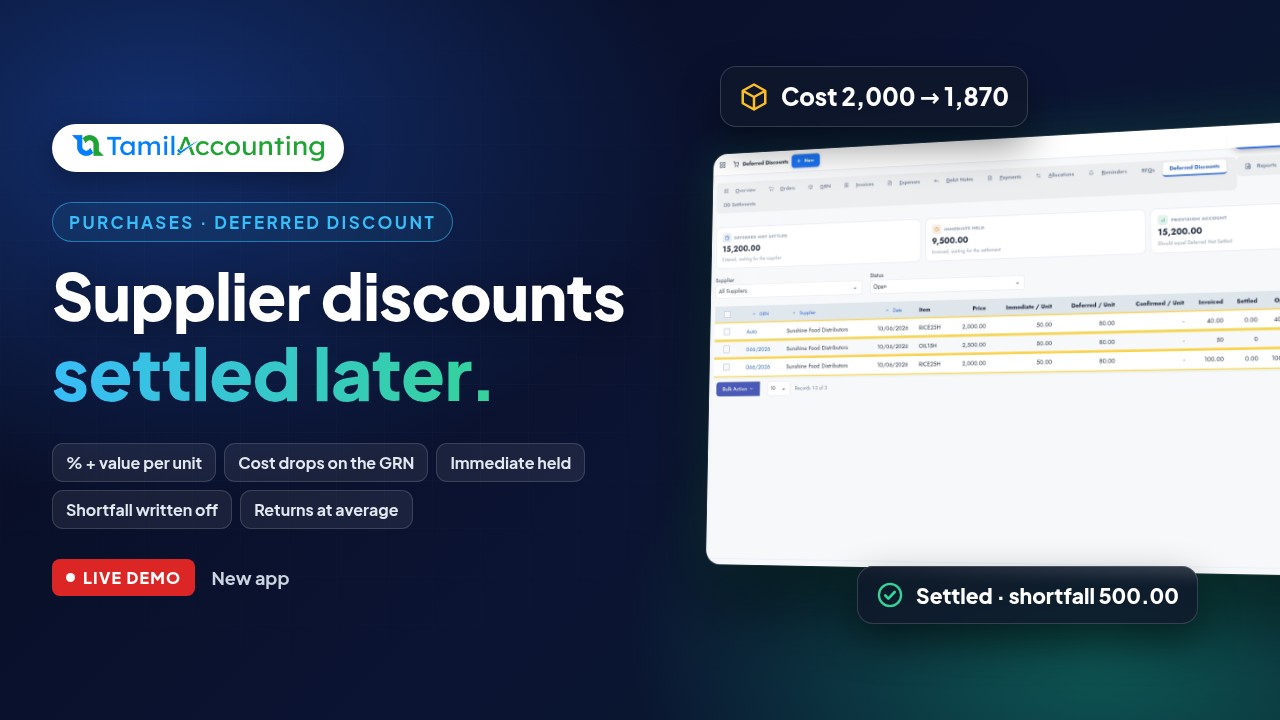
- Purchases → Deferred Discounts: one row per purchase line, with the immediate and deferred discount per unit, what was confirmed, invoiced, returned and settled, and three cards on top: Deferred Not Settled, Immediate Held and the Provision Account balance, which should equal Deferred Not Settled. Tick lines to Confirm or Settle Selected.
- Purchases → DD Settlements: every settlement with its immediate, confirmed and shortfall totals.
- A Deferred Discount tab on the GRN, the supplier invoice and the debit note, showing what the app did on that document, with links to every journal.
- The Deferred Discount and Settle Discounts actions on the GRN and invoice views.
Built-in safety
- A settled invoice or debit note cannot be edited or voided until its settlement is voided first. The view tells you why.
- A GRN with a deferred discount entry cannot be voided until the entry is voided. Voiding an entry puts the average cost back.
- A confirmation can never be higher than the deferred discount you recorded, and a deferred discount can never be more than the price after the immediate discount.
- Only invoiced units can be settled, so a GRN invoiced in two parts settles in two parts.
Tax
Tax on the supplier invoice is charged on the price after the immediate discount, exactly as before. The deferred discount does not change the tax on the invoice, because it is settled later.
Frequently asked questions
Do I have to record the deferred discount by hand on every GRN?
No. Save the supplier's terms once and switch the entry to Automatic: every posted GRN then takes its deferred discount from the terms. In Manual mode the terms only pre-fill the entry, and you can change them before saving. Items without terms get them saved from what you type, so the next GRN is pre-filled.
What if I do not want to hold the immediate discount?
Leave Hold the immediate discount until settlement off. The supplier is then credited net of the immediate discount on the invoice, as usual, and the settlement only deals with the deferred discount.
What if the supplier gives more than promised?
A confirmation can only lower the deferred discount. If the supplier agrees to more before settlement, void the entry and record it again with the higher figure.
Can I settle part of a supplier's discounts?
Yes. Tick the lines you want on the Deferred Discounts register, or start the settlement from one invoice or GRN, and only those lines are settled.
Does it work with foreign-currency suppliers?
The deferred discount is recorded for suppliers in your home currency.
Does it change anything for companies that do not use it?
No. The new purchase and return options are off by default, and nothing changes until the app is installed and its accounts are set.
Short on time? The highlights in under a minute: Supplier discount later? Stock cost right today.